Best vertical mouse 2026: five ergonomic mice compared by hand size, angle and who actually pays for it
 m8d.ioUpdated on
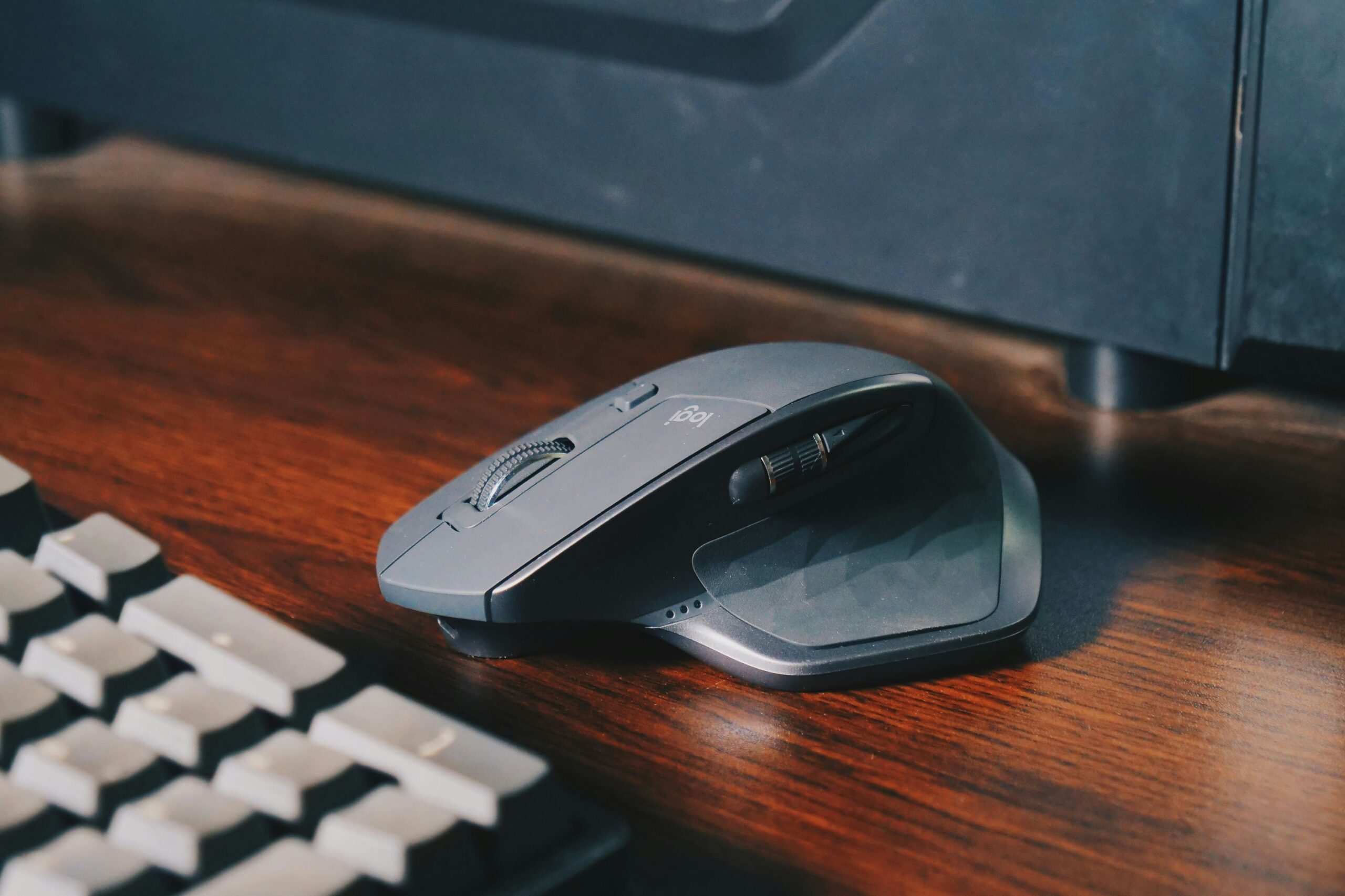
This guide contains affiliate links. As an Amazon Associate, m8d.io earns from qualifying purchases, at no extra cost to you.
A vertical mouse holds your hand the way it sits when you shake someone's hand, instead of flattening it palm down. That is the whole idea, and it is the reason the category exists. What almost no listing tells you is the part that decides whether it works for you: the shell has to fit your hand. Get that wrong and a 57 degree angle is just an awkward mouse.
Five vertical mice, compared on what the manufacturers actually publish: angle, sensor, weight, battery, and whether they say which hand the shape was built for. Two of the five do. Three do not, and that gap is where most bad purchases in this category happen.
- Medium to large hands: Logitech MX Vertical. 57 degrees, 4,000 DPI, USB-C with a one minute charge that gives three hours, and Flow across three computers.
- Small to medium hands: Logitech Lift. The same 57 degrees in a smaller shell, quiet clicks, and a single AA cell that Logitech rates at 24 months. A left-handed version exists.
- Lightest: Trust Ozaa+ at 99 g, with two Bluetooth channels plus a USB receiver and a thumb wheel for sideways scrolling.
- Gentlest angle to start with: Kensington Pro Fit Ergo Vertical at 46.7 degrees, with a lip that stops your little finger dragging on the desk.
- Wired, with a wrist rest: DeLUX M618. No batteries, no pairing, and the only removable wrist support here.
- The rule to take away: if a vertical mouse listing gives you an angle but never says which hand size the shell was shaped for, the angle is the only thing it is sure of.
- Start with your hand, not with the mouse
- The five, side by side
- Explorer: every spec, one mouse at a time
- 1. Logitech MX Vertical
- 2. Logitech Lift
- 3. Trust Ozaa+
- 4. Kensington Pro Fit Ergo Vertical
- 5. DeLUX M618
- Who pays for it, and the route most people miss
- Which one suits you
- The first week
- Questions people actually ask
Start with your hand, not with the mouse
Two of these five mice publish the hand size they were shaped for. The other three publish an angle and stop there. Since the angle is the same 57 to 60 degrees across most of the category, the size of the shell is the specification that actually separates them.
Every round-up of vertical mice opens with the angle, because the angle is the number every maker prints. It is also the number that varies least. Four of the five here sit between 57 and 60 degrees; the fifth is deliberately shallower. What varies enormously is the shell, and a shell that is too big leaves your fingers stretched over the buttons, while one that is too small puts the heel of your hand on the desk instead of on the mouse.
So the check is simple, and it is a check on the listing rather than on the mouse. Logitech states it for both of its models: the Lift is described as a fit for small to medium hands, and the MX Vertical for medium to large. Trust, Kensington and DeLUX publish angle, buttons and DPI, and say nothing about hand size at all. That is not a scandal, it is a gap, and it is a gap you can close before you buy by comparing the length and width of the shell in the listing against a mouse you already own and get on with.
If a vertical mouse listing gives you an angle but never says which hand size the shell was shaped for, the angle is the only thing it is sure of. Check the dimensions instead, and compare them with a mouse you already use comfortably. It takes ten seconds and it is the single most useful thing you can do before spending anything.
The second thing worth knowing before you look at products: this shape does not fix a wrist that already hurts. It changes the posture your forearm holds all day, which is a prevention argument, not a treatment one. If you already have numbness or weakness in your grip, the mouse is a sensible change to make and it is not a substitute for seeing a doctor about it.
Logitech is the only maker here that puts a figure on the benefit, and it is worth reading exactly as written: the company advertises that the MX Vertical's design reduces muscular strain by 10 per cent. That is the manufacturer's own claim on its own product page, cited as such.
The five, side by side
Angle, sensor, battery, weight and, in the last column, the one thing most listings leave out: whether the maker says which hand the shell was built for.
| Model | Hand size stated | Angle | DPI | Battery | Weight | Quiet | Software |
|---|---|---|---|---|---|---|---|
| Logitech MX Vertical | Medium to large | 57° | 4000 | 4 months (USB-C) | 135 g | ✗ | ✓ Options+ |
| Logitech Lift | Small to medium | 57° | 4000 | 24 months (AA) | 125 g | ✓ | ✓ Options+ |
| Trust Ozaa+ | Not stated | 60° | 3200 | Rechargeable (Micro-USB) | 99 g | ✓ | ✗ |
| Kensington Pro Fit Ergo | Not stated | 46.7° | 1600 | 12 months (AA) | 130 g | ✗ | ✗ |
| DeLUX M618 | Not stated | 60° | 1600 | Wired (USB) | 210 g | ✗ | ✗ |
Two readings that are easy to miss in a table. The battery figures are not comparable: 24 months is a disposable AA cell and 4 months is a rechargeable pack, so the Lift asks you to keep a cell in a drawer and the MX Vertical asks you to find a USB-C cable twice a year. And DPI is close to irrelevant here. Nobody moves a vertical mouse fast; the 1,600 DPI models feel the same as the 4,000 DPI ones at desk speeds, and the sensor only starts to matter if you drive a very high resolution screen or two.
Explorer: every spec, one mouse at a time
The three ratings are ours and they are editorial: Posture is how neutral the shape holds the forearm, Pointing is sensor and control at desk speeds, and What you get for it is how much of the category's feature set the model actually brings. They are judgements built from published specifications, and each figure carries its source.
1. Logitech MX Vertical: the one to buy if your hand is medium to large
Logitech states the MX Vertical is built for medium to large hands, at 57 degrees, with a 4,000 DPI sensor, USB-C charging where one minute gives three hours, and Flow to move the cursor and files across three computers.

Logitech MX Vertical

Vertical mouse with a 4,000 DPI sensor, a 57 degree angle, a rechargeable pack rated at four months and a fast charge that Logitech puts at one minute for three hours of use. Pairs with up to three machines and, with Flow, moves the cursor and drags files between them. Logitech describes the shell as a fit for medium to large hands.
See it on AmazonTwo things make this the default rather than the upgrade. The first is Flow, which is not a gimmick if you keep a work machine and a personal one on the same desk: the cursor crosses from one screen to the other and files come with it, so a second mouse stops being necessary. The second is the fast charge, which quietly removes the one thing people hate about a rechargeable mouse. A minute on a cable while you make coffee is three hours of work.
What you give up against the Lift is quiet. The MX Vertical clicks like a normal mouse, which matters if you sit in a shared room or spend the day on calls with an open microphone. And it is the heavier of the two Logitechs at 135 g, which is the correct trade for a shell this size and the wrong one if your hand is small.
2. Logitech Lift: the same 57 degrees in a shell built for smaller hands
The Lift is the MX Vertical's angle in a smaller body, with quiet clicks, a single AA cell that Logitech rates at 24 months, per-application shortcuts through Logi Options+ and a left-handed version, which almost nothing else in this category offers.

Logitech Lift
Wireless vertical mouse at 57 degrees with quiet switches, Bluetooth or the Logi Bolt receiver, four buttons and Logi Options+ for per-application shortcuts. Logitech describes the shell as a fit for small to medium hands and sells a left-handed version. Runs from one AA cell, rated at 24 months.
See it on AmazonThe quiet switches are the feature people underrate until they have them. A vertical mouse already changes how your hand sounds on a desk; taking the click out of it makes the whole setup disappear in a room with other people in it, and on a call it stops the microphone picking up every selection.
The other reason to prefer it is Logi Options+. You can bind the four buttons per application, which turns the mouse into two or three shortcuts you would otherwise reach for with the left hand. And the left-handed version is not a footnote: vertical mice are moulded, so a right-handed shell is genuinely unusable in the other hand, and most of the category simply does not make one.
3. Trust Ozaa+: the lightest of the five, and the one that talks to three machines
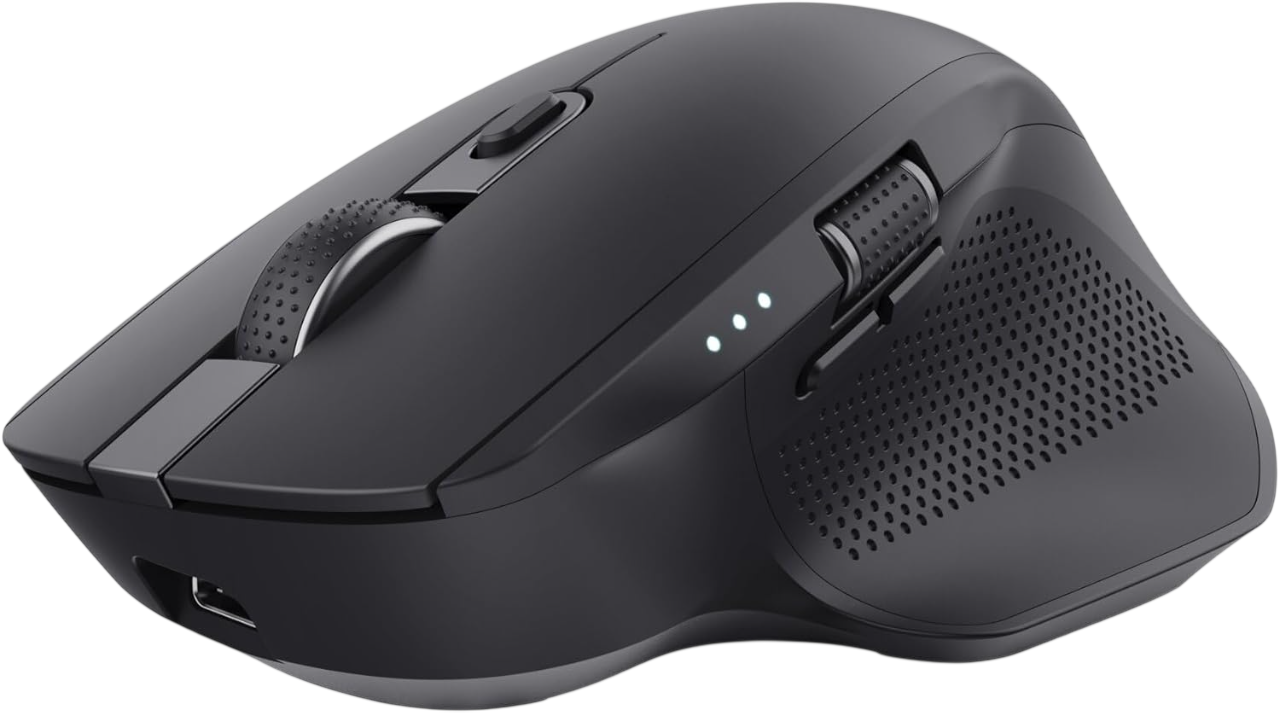
At 99 g the Ozaa+ is the lightest vertical mouse here, with a 60 degree angle, quiet buttons, two Bluetooth channels plus a USB receiver, and a second wheel under the thumb for sideways scrolling.
Trust Ozaa+
Wireless vertical mouse at 60 degrees with a 3,200 DPI sensor, quiet buttons, three simultaneous connections (two Bluetooth plus a 2.4 GHz USB receiver) and two scroll wheels, one under the index finger and one under the thumb for horizontal scrolling. Rechargeable over Micro-USB. Weighs 99 g.
See it on AmazonThe surprise is the connectivity. Three devices at once, two over Bluetooth and one on its own receiver, is a feature that normally appears a tier higher, and it is the practical answer for a desk with a laptop, a desktop and a tablet on it. The thumb wheel is the other unusual part: horizontal scrolling without holding a modifier key is genuinely useful in a wide spreadsheet or a long timeline.
The compromises are real and worth naming. There is no configuration software, so the extra buttons do what they do and nothing else. The charging port is Micro-USB, which in 2026 means one more cable in the drawer. And at 99 g it is light enough that some people find it skates; that is a preference, not a fault.
4. Kensington Pro Fit Ergo Vertical: the gentlest angle, and the easiest first one
At 46.7 degrees the Kensington is the shallowest vertical mouse here, which makes it the least jarring change from a flat mouse. It adds an extended lip so the little finger does not drag, six buttons and 12 months from an AA cell.

Kensington Pro Fit Ergo Vertical
Wireless vertical mouse at 46.7 degrees with switchable DPI (800, 1000, 1200 and 1600), six buttons including browser back and forward, and a nano USB receiver. One AA cell rated at 12 months. An extended lip supports the little finger so it does not rest on the desk.
See it on AmazonKensington has been making office peripherals for a long time and this reads like it. The 46.7 degree angle is more conservative than the 57 to 60 degrees of everything else on this page, which is exactly the point: if the idea of turning your hand on its side worries you, this is the version of the change that your muscle memory barely notices.
The detail that sets it apart is the extended lip under the little finger, which answers a complaint people make about every other vertical mouse: the outside finger ends up dragging along the desk. Six buttons with browser back and forward are useful in documentation and code review. The ceiling of 1,600 DPI is fine for office work and starts to feel short on a very large or very high resolution screen.
5. DeLUX M618: wired, with the only wrist rest on this page
The M618 is the only wired mouse here and the only one with a removable wrist rest. No batteries, no pairing, switchable DPI at 600, 1000 and 1600, and 210 g of weight that keeps it planted.

DeLUX M618
Wired USB vertical mouse at 60 degrees with a removable wrist rest, switchable DPI (600, 1000 and 1600), six buttons and a rubberised non-slip finish. No batteries and no pairing: plug it in and it works. The wrist support comes off if you prefer a lower profile.
See it on AmazonThe removable wrist rest is the reason to look at this one. Nothing else on this page includes one, and if you already have soreness, taking the load off the heel of the hand is a change you feel on day one. Being wired is a feature here rather than a limitation: nothing to charge, nothing to pair, nothing to go flat during a long stretch at the desk.
It is also the heaviest at 210 g, which gives it a planted feel and makes long sweeps across a wide desk more work than on the 99 g Trust. And the 1,600 DPI ceiling puts the same limit on it as the Kensington. Treat it as the least complicated version of the shape rather than the most capable.
Who pays for it, and the route most people miss
If a health condition makes your job harder, Access to Work is a government grant that can pay for specialist equipment, and it covers self-employed people with a turnover of at least £6,500 a year. It explicitly does not pay for reasonable adjustments, because those are already your employer's legal duty.
Almost every guide to this category assumes you are buying the mouse yourself. In the UK there are two routes where you might not be, and they are not the same route, which is where the confusion starts.
The first is your employer. If you use screen equipment daily for continuous periods of an hour or more, your workstation is regulated and equipment the assessment identifies as necessary is provided at their cost. That side of it, including what the rules do and do not say about the mouse specifically, is set out in our guide to choosing a mouse for work. What matters here is the boundary: the employer duty is a duty on employers, so it does nothing at all for the large share of this readership who invoice rather than get paid.
The second route is the one that covers those people, and it is barely mentioned in this category. Access to Work is a Department for Work and Pensions grant. Its own guidance says the grant can help pay for specialist equipment and assistive software, and its eligibility page lists paid work as including self-employment, apprenticeships, work trials, internships and placements, with a turnover threshold of £6,500 a year for the self-employed. You have to be 16 or over and live and work in England, Scotland or Wales.
Access to Work states plainly that it will not pay for reasonable adjustments, because those are "the changes your employer must legally make to support you to do your job". So an employee asks the employer first and Access to Work second, and a self-employed person, who has no employer to ask, goes straight to the grant. Both facts are on the scheme's own pages on gov.uk, consulted on 1 September 2026.
Worth being clear about what this is not: it is not a discount scheme and not a general subsidy for nice keyboards. It exists where a physical or mental health condition makes part of the job harder, and the assessment decides what is needed. But a repetitive strain problem in a hand you type with is squarely the kind of thing it is for, and the number of freelancers who have never heard of it is the reason it is in this guide at all.
Which one suits you
1. Have you used a vertical mouse before?
2. How many machines does it need to work with?
3. Does it need to be quiet?
One answer deliberately sends you to a mouse that is not built for your hand, and says so. Nothing on this page with a shell for larger hands has quiet switches, so if silence is the thing you cannot compromise on, the Lift is the only answer and the smaller shell is the price of it. We would rather tell you that than pretend the set of five covers every combination.
The first week
Expect your pointing to get slightly worse before it gets better. A vertical mouse moves from the forearm rather than the wrist, so the first two or three days feel clumsy even to people who have used one before on a different shell. Start at a lower sensitivity than you think you want and raise it once the movement stops being deliberate.
If the mouse turns out to be the wrong size, that is a returns question rather than a technique question, and it is worth resolving quickly instead of persevering. Under UK consumer law you have a short window to change your mind on something bought online, which is exactly what it is for.
Questions people actually ask
If you are rebuilding the desk rather than just the mouse, the other two pieces that change how a working day feels are the board you type on and the machine it is plugged into: we cover those in the guides to choosing a keyboard for programming and to choosing a laptop for development work.