Best wireless Android Auto adapters 2026: the six that work, in which cars, and what the law says
 m8d.ioUpdated on
This guide contains affiliate links. As an Amazon Associate, m8d.io earns from qualifying purchases, at no extra cost to you.

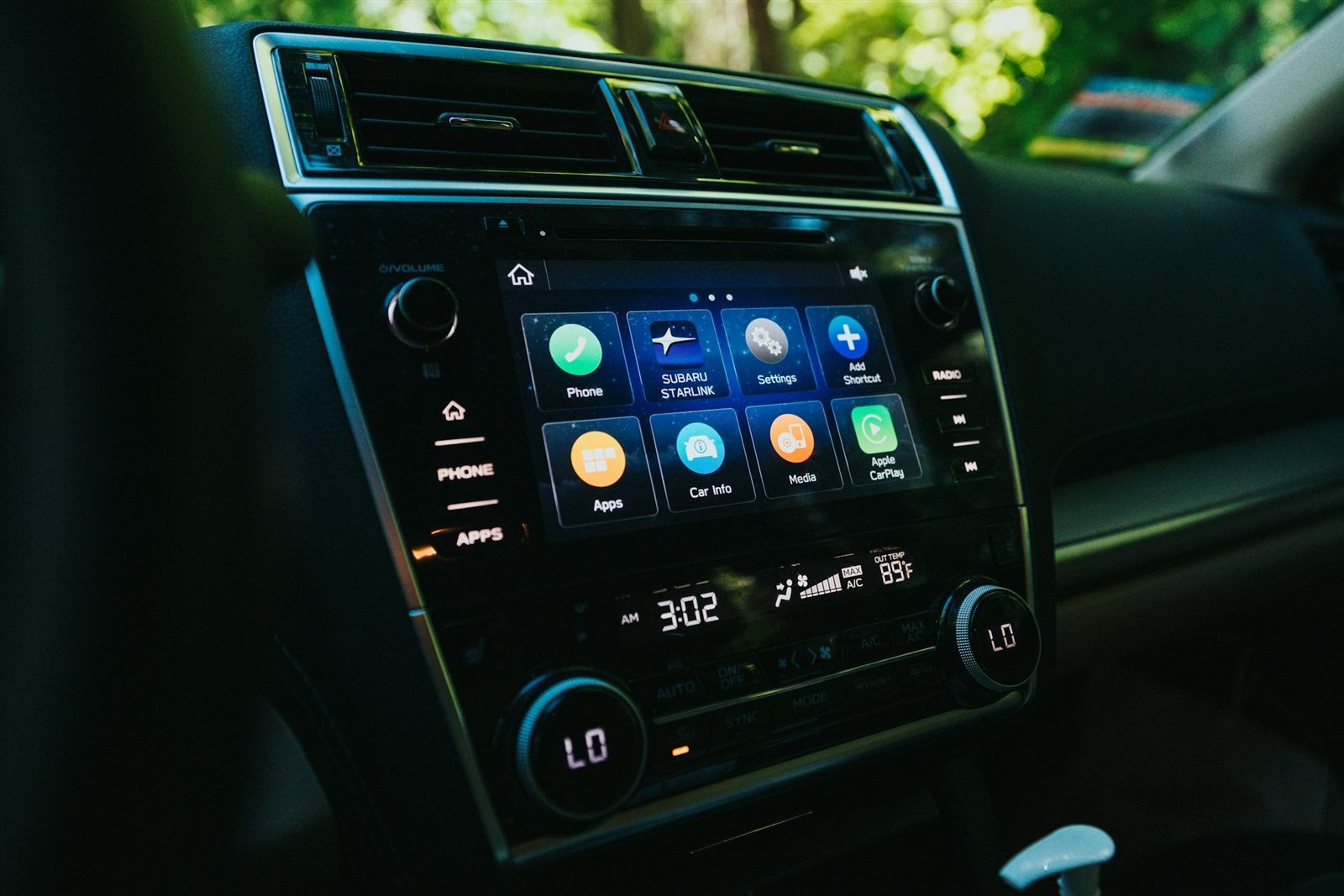
- The requirement nobody mentions: an adapter does NOT add Android Auto to a car that does not have it. It makes wireless the Android Auto your car already runs over a cable.
- The criterion that separates the tiers: the update policy. AAWireless and Carlinkit get firmware; the Motorola MA1 and the unbranded ones do not.
- The 2026 arrival: the Motorola Drive MA2 brings a supported brand down to a generic price, developed with Google, with both USB-A and USB-C.
- If your household has an iPhone and an Android, get a 2-in-1 (Carlinkit 5.0 2Air or Ottocast Mini Core): they convert CarPlay as well.
- Random disconnections are usually not a fault: it is almost always radar on the 5 GHz channel (DFS). The fix is below.
- And the reason to bother at all: in the UK it is 6 points and a fixed penalty for holding a phone while driving, and that applies at traffic lights and in a queue. A driver in their first two years loses their licence outright.
Will it work in your car? A 30-second compatibility test
The number one return in this category is somebody buying an adapter for a car that does not have Android Auto in the first place. This test settles it with three questions: what your car already does, which phone you carry, and how many drivers there are. The verdict names the exact adapter for your case.
With a car that already has Android Auto over a cable, an Android 11 or newer phone and a single driver, any serious adapter will work: the one with the best support record is the AAWireless Two and the best value is the Motorola MA2. Answer the three questions and your own case appears here.
AAWireless Two ›Motorola Drive MA2 ›The reason it is worth the money: 6 points and a fixed penalty
Every guide in this category sells the convenience of not plugging in a cable. The stronger argument here is the one on the statute book, and it is worth knowing exactly how it is written before you decide whether a dongle is an indulgence.
That picking the phone up for a second to start the navigation, while stationary in a jam, is a grey area.
6 penalty points and a fixed fine for holding and using a device while driving. It applies at traffic lights and in stationary traffic. A court can impose a driving ban and a larger fine. A driver within two years of passing their test loses their licence.
Hands-free: a windscreen or vent mount, voice control, a Bluetooth headset, or a built-in system, provided you never hold the device and it does not obstruct your view. That is exactly what one of these adapters produces: the phone stays in your pocket and the maps appear on the car's screen on their own.
m8d rule: It is illegal to hold and use a phone, sat nav or tablet while driving, and that includes while you are stopped at lights or queuing in traffic. A hands-free mount or a car system you never touch is the legal way to use it.
How we chose: the 4 criteria that actually matter
The 6 compared: updates, bands and switching
| Product | Type | Updates | Wi-fi | Several phones | |
|---|---|---|---|---|---|
| AAWireless Two view › | Android Auto only | Official app plus firmware | 5 GHz adjustable | From the app | View › |
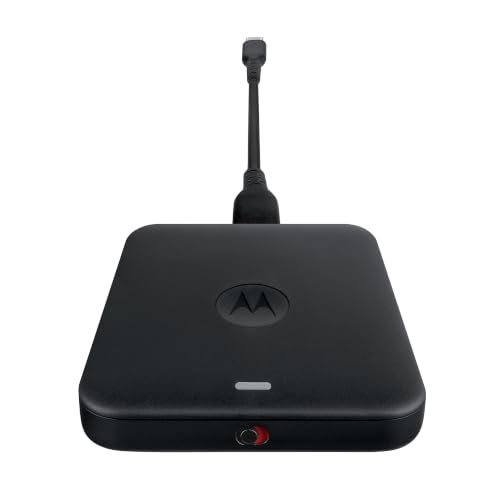 Motorola Drive MA2 view › Motorola Drive MA2 view › | Android Auto only | Short history (new) | 5 GHz | Multipoint | View › |
 Carlinkit 5.0 2Air view › Carlinkit 5.0 2Air view › | 2-in-1 (AA and CarPlay) | OTA | 5 GHz | Re-pair | View › |
 Ottocast Mini Core 2026 view › Ottocast Mini Core 2026 view › | 2-in-1 (AA and CarPlay) | OTA | Wi-Fi 6 | One-press button | View › |
 Motorola MA1 view › Motorola MA1 view › | Android Auto only | No app, no firmware | 5 GHz | Manual (poor) | View › |
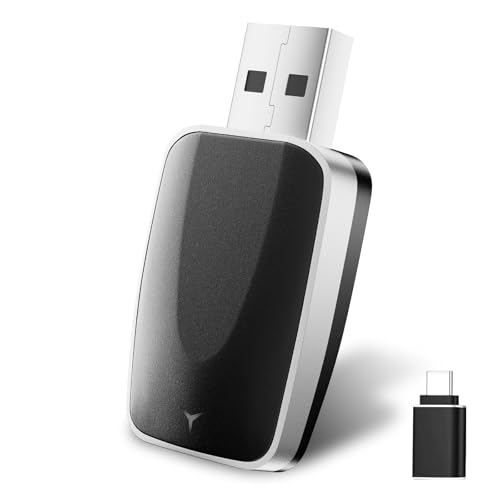 Generic 2-in-1 (2026) view › Generic 2-in-1 (2026) view › | 2-in-1 (AA and CarPlay) | Never | 2.4 and 5 GHz | Re-pair | View › |
Specifications from manufacturer datasheets, verified on 31 August 2026. The highlighted row is our pick. Availability and the exact model on sale vary by country.
Why it drops out: radar on the 5 GHz channel
m8d rule: If it cuts out in the same places every time, before you return it try fixing the channel or forcing 2.4 GHz from the app. If your adapter has no app, that is the lesson for the next purchase.
The picks, one by one
AAWireless Two view ›
The only one on this list with an official app in the Play Store and years of public firmware history. When Android changes and other dongles fall behind, this one gets the patch. In a device whose entire job is getting along with hundreds of different cars, that is THE criterion.
- Its app lets you force wi-fi to 2.4 GHz or fix the channel: that is the direct fix for the radar (DFS) disconnections explained below.
- Detachable USB-C cable: if the car's port is awkwardly placed, you change the cable rather than throw away the adapter.
- Owner forums have been documenting per-car settings since 2021; the community is part of the product.
- Official app plus a real firmware history
- The DFS fix available in settings
- Detachable cable
- Made in Europe
- Android Auto only (no CarPlay)
- Not the cheapest
Motorola Drive MA2 view ›
The 2026 arrival that most lists have not caught up with: the successor to the MA1, developed with Google according to its own listing, with 5 GHz wi-fi, both USB-A and USB-C connectors, and multipoint. At its level it leaves the rest of the mid-range without an argument.
- It ships with USB-A and USB-C: it suits the 2017 car and the 2024 one with no extra adapters.
- Multipoint: it remembers several paired phones (switching is not via a physical button, it is handled from the phone).
- Being this new, its firmware history is still short: Google's backing compensates, but we are watching it.
- The cheapest with a real brand and support behind it
- Developed with Google
- USB-A and USB-C included
- 5 GHz
- Update history still short
- Android Auto only
Carlinkit 5.0 2Air view ›
The 2-in-1 with the best balance of price and support: it makes both Android Auto and CarPlay wireless and updates over the air. For a household with one iPhone and one Android sharing a car, it is the logical purchase.
- Updates arrive over the air from the adapter itself; you are not dependent on an app store.
- Its settings app lives outside the Play Store (installed as an APK): it works, but it is the toll this brand charges.
- The documentation is thin; the first pairing needs a guide rather than the box.
- Android Auto and CarPlay in one dongle
- Over-the-air updates
- A discount anchor that holds up
- App outside the Play Store (APK)
- Sparse documentation
Ottocast Mini Core 2026 view ›
The only one in the line-up with Wi-Fi 6 and Bluetooth 5.4, and above all with a physical one-press button to change phones: if two of you share the car, this removes the daily argument with Bluetooth.
- The switch button moves between paired phones without going into settings: the feature most appreciated in a shared car.
- Wi-Fi 6 does not make the projection faster today, but it leaves headroom for the phones of the next few years.
- Ottocast sells half a dozen variants with nearly identical names (Nova, Pico, Pot, Slim): keep the exact link to this one.
- Physical multi-user button
- Wi-Fi 6 and Bluetooth 5.4
- 2-in-1 (AA and CarPlay)
- Over-the-air updates
- A confusing brand catalogue
- Support varies by variant
Motorola MA1 view ›
The veteran with the official Google licence and the most proven compatibility on the market: it has been working since 2022 in cars where others fail. But it has no app and no updatable firmware, the USB-A cable is fixed, and it costs more than the MA2 while doing less. When it makes sense: if another adapter has already failed you and you want the safe answer.
- No app: if your car runs into a DFS disconnection, there is no setting to change; with the AAWireless there is.
- The USB-A cable is not detachable: in cars with only USB-C you need an extension.
- Switching between two phones means turning Bluetooth off on the first: poor for a shared car.
- Official Google licence
- Compatibility proven since 2022
- Absolutely plug and play
- No app and no updates
- Fixed USB-A cable
- Costs more than the MA2 while doing less
The unbranded dongle and the phantom discount
m8d rule: In this category, a discount above 50% on a brand nobody has heard of means an inflated anchor price. Compare against the real range the product actually sells at, not against the crossed-out figure.
It does the same thing as the big names, for as long as it happens to work with your car. With no brand behind it there will never be new firmware: if your car updates its system or your phone changes version and something breaks, there will be no patch. Buy it to try the concept knowing that, and keep your 30-day right to reject in mind.
View ›Official app, live firmware and the DFS fix in the settings. The one that causes least trouble over time.
See it on Amazon ›What a wireless Android Auto adapter is and how it works
Gemini in Android Auto: what changes (and what does not)
When not to buy one
Will an adapter work if my car does not have Android Auto?›
No. The adapter only makes wireless the Android Auto the car already has over a cable. If your screen does not show Android Auto when you connect the phone with a cable, you need a compatible head unit or screen, not a dongle.
Why does my adapter disconnect every few minutes?›
The most common cause is the DFS mechanism in 5 GHz wi-fi: if the channel detects radar (airports, weather radar), the rules require the device to release it and the connection drops for a few seconds. On adapters with an app, such as the AAWireless Two, it is fixed by fixing the channel or forcing 2.4 GHz.
Does the adapter add lag to music or maps?›
In normal use you will not notice it: maps, music and calls are smooth. What you will notice is the start-up, which is typically 10 to 20 seconds from ignition in most cars and up to 30 in cars with a slow USB port. Those figures come from published tests.
Does it work with an iPhone?›
Only the 2-in-1 models, which convert CarPlay as well: the Carlinkit 5.0 2Air or the Ottocast Mini Core. The Android-only adapters (AAWireless Two, Motorola MA1 and MA2) will not work with an iPhone.
Does it use more phone battery than a cable?›
Yes: the projection travels over wi-fi and the phone is not charging, so on long journeys the battery drops noticeably. For trips, pair the adapter with a car charger or a power bank.
Do I need a particular version of Android?›
Wireless Android Auto requires Android 11 or later on virtually every handset (a few Samsung and Pixel models have had it since Android 10). Over a cable it works with older versions, but then the adapter is redundant.
Can I leave it plugged in permanently?›
Yes, they are designed to live in the USB port. Two caveats: in summer avoid leaving it in direct sun on the dashboard (metal-cased ones dissipate heat better), and if you share the car, consider one with a phone-switching button.
Is it illegal to touch my phone while driving in the UK?›
Yes, and this is the part worth being precise about. It is illegal to hold and use a phone while driving, and that includes when you are stopped at traffic lights or queuing. The penalty is 6 points and a fixed fine, a court can impose a ban, and a driver in their first two years loses their licence. Hands-free use through a mount, voice control or the car's own screen is allowed, which is exactly what one of these adapters gives you.
The data in this piece comes from the manufacturers' own datasheets, from published testing credited where it is used, and from the government's own guidance, each with its date of consultation.
- GOV.UKUsing a mobile phone, sat nav or other device when drivingThe rule, the penalty of 6 points and a fixed fine, the fact that it applies while stopped at lights or queuing in traffic, the consequences for new drivers, and what counts as permitted hands-free use. Consulted on 31 August 2026.
- AmazonAmazon product listingsDeclared connectivity, connectors and features for the six adapters, read via API on 31 August 2026 from the shared European catalogue that m8d tracks daily.
- Android PolicePublished start-up testingReported connection times for wireless Android Auto adapters, used for the chart in this piece. Android Police is credited as the source under the chart.
Comments
Be the firstNo sign-up: just a name. Every comment is reviewed before it is published.