Best GPU for local AI in 2026: seven graphics cards ranked by the VRAM that decides what you can run
 m8d.ioUpdated on
This guide contains affiliate links. As an Amazon Associate, m8d.io earns from qualifying purchases, at no extra cost to you.
The best GPU for local AI in 2026 is decided by one number, and it is not the one on the box front: it is VRAM. For models up to about 30B in Q4, 24 GB is comfortable. For 70B you need 32 GB and a short context, which in this guide means the Radeon AI Pro R9700. For CUDA in a small, quiet machine, the RTX Pro 2000 Blackwell declares 70 W. To start without wasting money, the RX 9060 XT 16G covers Stable Diffusion and models up to 13B. Below 16 GB, you are buying a card you will replace.
- VRAM decides what you can run at all. Everything else decides how fast. A model that does not fit does not run slowly, it does not run.
- CUDA still wins for research (PyTorch, transformers, vLLM, xformers, fine-tuning). ROCm is now genuinely fine for inference through llama.cpp and ollama.
- The 2026 sweet spot is 16 to 24 GB, which covers models up to about 30B in Q4 plus Stable Diffusion XL with LoRA.
- The Blackwell Pro line declares 70 W and comes in small form factor shapes, which is what you want in a machine that sits in the room you work in.
- 32 GB is the line where a 70B model becomes possible on one card, and the Radeon AI Pro R9700 is the card in this guide that crosses it.
Why the GPU is the bottleneck for local AI in 2026
Running generative models on your own machine is no longer exotic: Llama 3, Qwen 2.5, Gemma 2 and Mistral ship open weights every quarter, and llama.cpp, ollama, exllamav2 and vLLM will stand up an endpoint in minutes. One component decides whether your setup works or chokes, and it is the VRAM on the graphics card. A 13 billion parameter model in FP16 occupies 26 GB. In Q4 it drops to about 7 GB. The card is not optional: it is the ceiling on what you can run.
Each card is judged on five things that its maker publishes: total VRAM (the ceiling on model size), bus width and memory type (how fast weights move), declared TDP (what it costs to run and how loud it will be), ecosystem (CUDA or ROCm, and how stable the drivers are), and physical format (whether it fits your case at all).
Every number on this page is either a manufacturer declaration, quoted as such, or arithmetic you can repeat: model size in gigabytes against card memory in gigabytes. For published throughput figures, go to the source: the llama.cpp benchmark discussion and the model cards on Hugging Face collect community runs with their configurations attached, which is what makes them worth reading.
The selection comes from the Amazon Spain catalogue that m8d tracks, read on 31 August 2026. Availability, model names and board partner versions vary by country, so what your local Amazon lists may not match this page card for card.
The seven cards side by side
Before any argument, the cold numbers. The gap between an 8 GB card and a 32 GB card is not twenty per cent of anything: it is four times the number of models you can load at all.
| Graphics card | VRAM | Memory | Declared TDP | Ecosystem | Where it fits |
|---|---|---|---|---|---|
| GIGABYTE Radeon AI Pro R9700 | 32 GB | GDDR6, 256-bit | 300 W | ROCm | 70B in Q4, and heavy inference |
| PNY RTX Pro 4000 SFF Blackwell | 24 GB | GDDR7, 192-bit | 70 W | CUDA, full | 30B in Q4 in a quiet small machine |
| ASUS Turbo AI Pro R9700 | 32 GB | GDDR6, 256-bit | 300 W | ROCm | Stacking two or more cards (blower) |
| PNY RTX Pro 2000 Blackwell | 16 GB | GDDR7, 128-bit | 70 W | CUDA, full | Small form factor, 545 declared AI TOPS |
| GIGABYTE RX 9060 XT Gaming 16G | 16 GB | GDDR6, 128-bit | 180 W | ROCm | SDXL with LoRA, models to 13B in Q4 |
| PNY RTX 2000 Ada Generation | 16 GB | GDDR6 ECC | 70 W | CUDA, full | Low profile chassis, ECC matters |
| MSI RTX 5060 Ti 8G Ventus | 8 GB | GDDR7, 128-bit | 180 W | CUDA, full | Basic image work, 7B inference |
What that means in practice: 8 GB puts the RTX 5060 Ti outside any serious text-model use. Its place is with someone who wants to try Stable Diffusion without committing. From 16 GB the picture opens up; from 24 GB you are in professional territory. And note what the table does not have: a speed column. Throughput figures are cited only from the sources that publish them.
How much VRAM each model actually needs
Decide which models you want before you decide which card. This table is the weights only, for the open models most people run in 2026, in their three common quantisations. It does not include the KV cache, which adds roughly 2 to 8 GB more depending on how long a context you keep open.
| Model | FP16 (full) | Q8 (high quality) | Q4_K_M (standard) | Q3 (degraded) |
|---|---|---|---|---|
| Llama 3 8B | 16 GB | 8.5 GB | 4.7 GB | 3.5 GB |
| Qwen 2.5 14B | 28 GB | 15 GB | 8.2 GB | 6.1 GB |
| Llama 3 70B | 140 GB | 70 GB | 39 GB | 29 GB |
| Mixtral 8x7B | 87 GB | 47 GB | 26 GB | 19 GB |
| DeepSeek-Coder 33B | 66 GB | 35 GB | 19 GB | 14 GB |
| Stable Diffusion XL | 9 GB | n/a | 5.5 GB | n/a |
| FLUX.1 [dev] | 23 GB | 16 GB | 12 GB | n/a |
The arithmetic behind the table, so you can redo it for any model: a parameter in FP16 costs two bytes, so an 8 billion parameter model is about 16 GB. Q8 halves that. Q4 halves it again, roughly, plus the overhead the quantisation format carries. That is the whole calculation, and it is why the first question about any new model is how many billions of parameters it has.
Which graphics card for your case: three questions
The third question is the one other guides skip, and it is the one that rules cards out fastest: the machine you are putting it in. A 32 GB card that does not fit your case is not a compromise, it is a return.
The seven cards, one by one
From the summary to the detail. Each card gets the same treatment: what its own spec sheet declares, which workloads that suits, and who should not buy it. No superlatives.
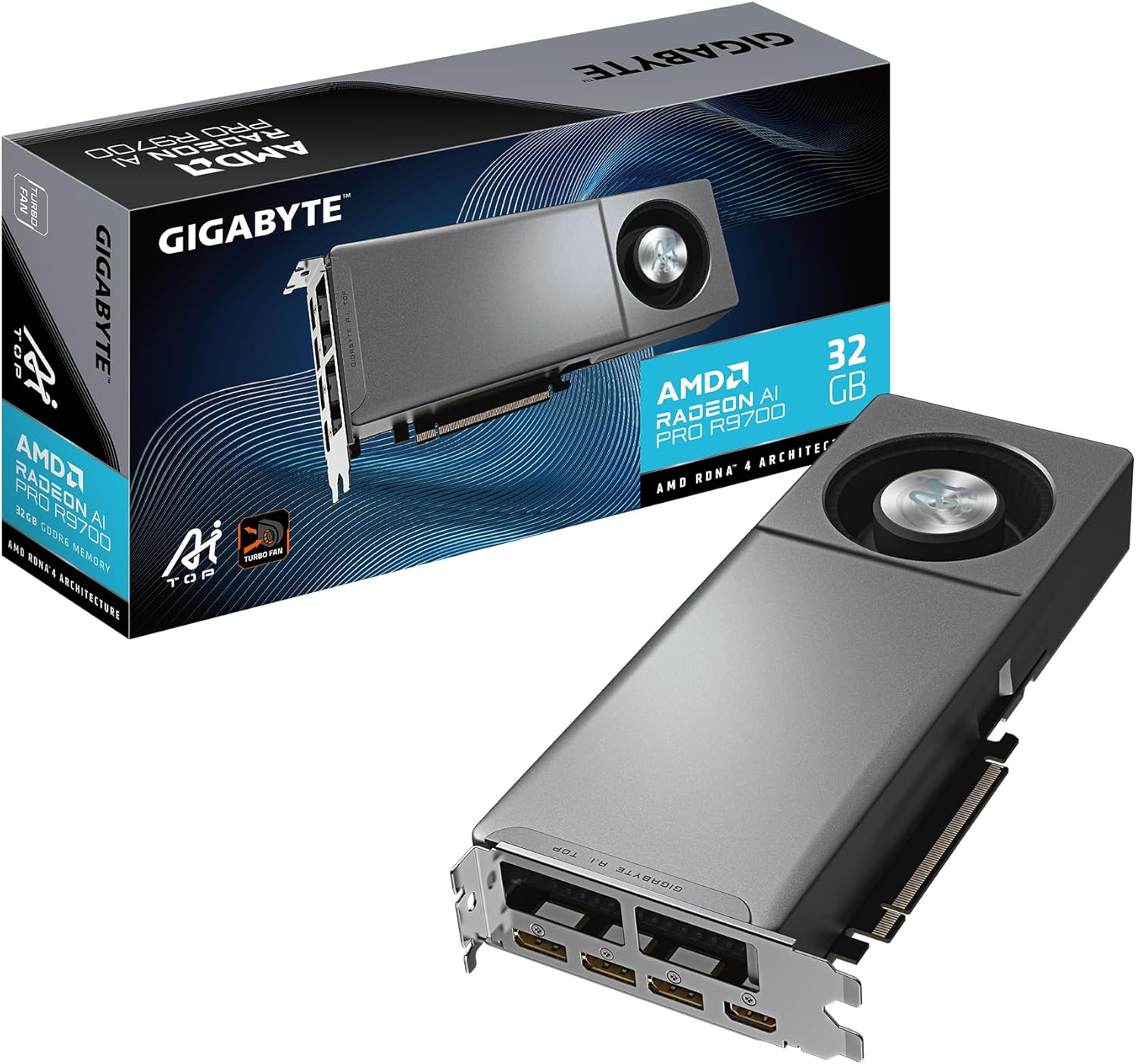
GIGABYTE Radeon AI Pro R9700 AI Top 32G

m8d verdict, best for: the biggest model on one card. Thirty-two gigabytes is the line where Llama 3 70B in Q4_K_M, about 39 GB of weights, stops being impossible and becomes a question of how short a context you can live with. GIGABYTE validates this board specifically for AI and machine learning work and specs a double-bearing turbo fan and server-grade thermal material, which is a statement about running it for days rather than hours.
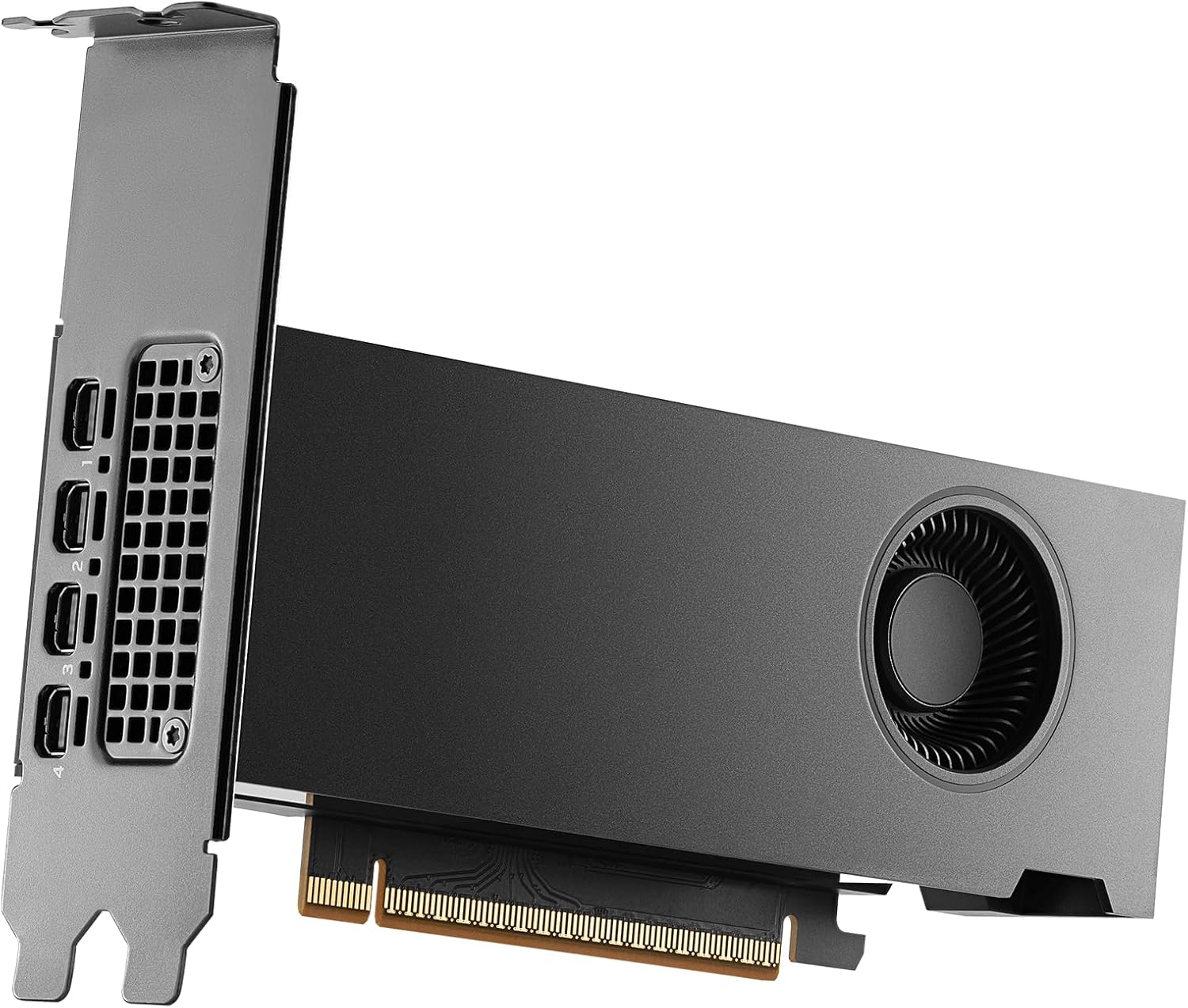
PNY NVIDIA RTX Pro 2000 Blackwell
m8d verdict, best for: a machine that lives in the room you work in. The small Blackwell professional card: the same architecture as the 24 GB version, half the CUDA cores, and the same declared 70 W. That number is the whole argument. Seventy watts is what a laptop charger delivers, and it means no chassis fan screaming at you and no power supply upgrade.
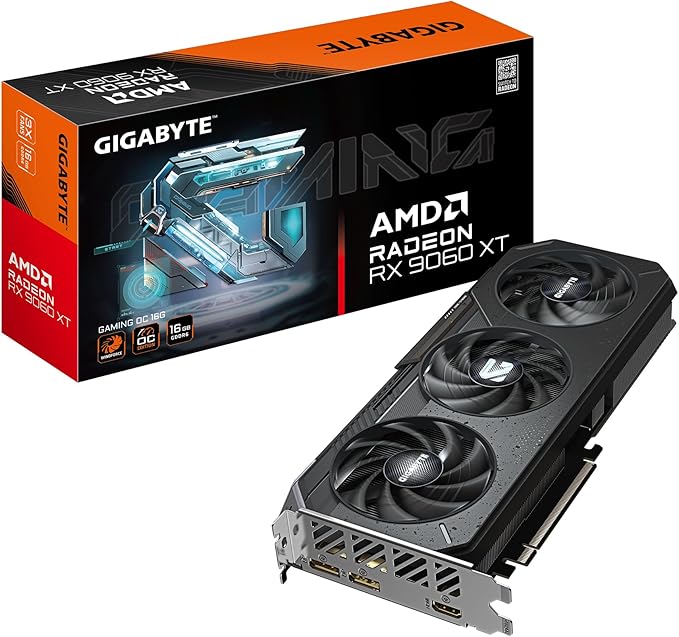
GIGABYTE Radeon RX 9060 XT Gaming OC 16G
m8d verdict, best for: starting without buying twice. Sixteen gigabytes in the entry tier is what changed between 2024 and now. It covers Stable Diffusion XL at full resolution with LoRA training, Llama 3 13B in Q8 and a 30B in Q3. Most importantly, it is the cheapest card here that will not be the reason you upgrade in six months.
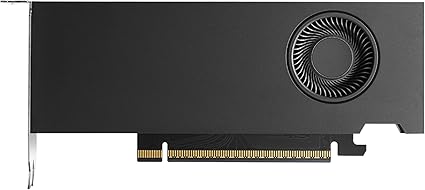
PNY NVIDIA RTX Pro 4000 SFF Blackwell
m8d verdict, best for: the shape of the problem, if you can get one. On paper this is the most interesting card on the page: 24 GB of GDDR7 with a declared 432 GB/s of bandwidth, in a two-slot small form factor board that declares 70 W. That combination is what everyone building a quiet local AI machine is actually looking for. We keep it here as the comparison point that defines the 24 GB tier, and it is deliberately not one of our three picks, because a recommendation you cannot act on is not a recommendation.

ASUS Turbo AI Pro R9700 32G
m8d verdict, best for: the second card you have not bought yet. Same R9700 silicon as the GIGABYTE, different cooler. A blower pulls air in and pushes it straight out of the back of the case instead of dumping it inside, which is the only design that survives cards sitting shoulder to shoulder. Two of these is 64 GB of VRAM in one machine.
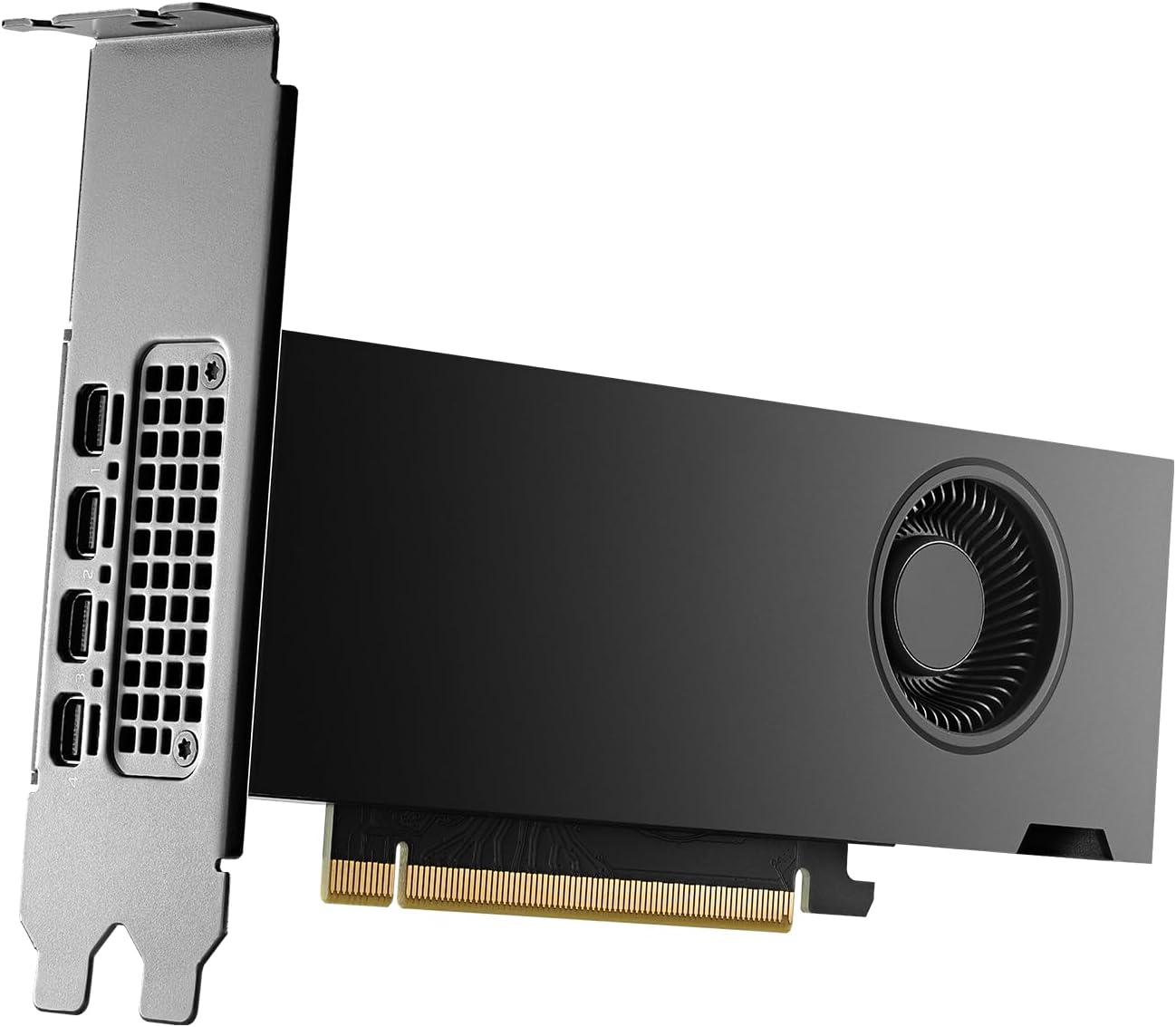
PNY NVIDIA RTX 2000 Ada Generation
m8d verdict, best for: work where a wrong bit is worse than a slow run. Previous generation silicon, and the only card in this guide with ECC memory. ECC corrects single-bit errors in memory as they happen instead of letting one flipped bit quietly poison twelve hours of computation. Low profile, so it goes into a 2U chassis or a very small case where nothing else here will fit.
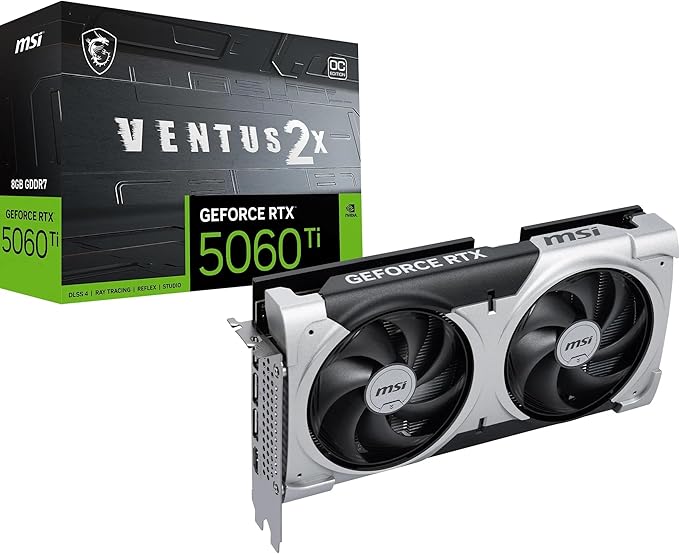
MSI GeForce RTX 5060 Ti 8G Ventus 2X OC Plus
m8d verdict, best for: finding out whether you like this at all. The cheapest way into the full CUDA stack. Eight gigabytes of GDDR7 will run basic Stable Diffusion XL and an 8B model in Q4, and it will also play games, which is a real argument for a machine that has to do both.
Will it fit: headroom on each card, model by model
This is the chart that decides the purchase, and it contains no measurement at all. It is two declared numbers subtracted from each other: the memory on the card, minus the weights of the model in Q4_K_M. What is left is what you have for the context window, and you want at least 4 GB of it. Switch models with the tabs.
Read the 70B tab and you have the whole guide. Thirty-nine gigabytes of weights against a 32 GB card leaves you nothing: it is the one model on this list that no single card here holds with room to work. Everything else on the page is a choice; that one is arithmetic.
What it costs to run, in kilowatt hours
An efficient professional card can work out cheaper over eighteen months than a gaming card with the same memory. Assume four hours a day of real load at about 80 per cent of the declared TDP, and the year looks like this. We give you energy rather than money on purpose: in Great Britain the unit rate on a standard variable tariff is capped by Ofgem and reviewed every three months, so any figure we printed would be wrong by winter. Take the rate from your own bill and multiply.
| Graphics card | Declared TDP | At 80% load | kWh over a year | Against the 70 W cards |
|---|---|---|---|---|
| PNY RTX Pro 4000 SFF | 70 W | 56 W | 82 kWh | baseline |
| PNY RTX Pro 2000 Blackwell | 70 W | 56 W | 82 kWh | baseline |
| PNY RTX 2000 Ada | 70 W | 56 W | 82 kWh | baseline |
| MSI RTX 5060 Ti 8G | 180 W | 144 W | 210 kWh | 2.6 times |
| GIGABYTE RX 9060 XT 16G | 180 W | 144 W | 210 kWh | 2.6 times |
| GIGABYTE Radeon AI Pro R9700 | 300 W | 240 W | 350 kWh | 4.3 times |
| ASUS Turbo AI Pro R9700 | 300 W | 240 W | 350 kWh | 4.3 times |
The arithmetic, so you can redo it with your own hours: declared watts, times 0.8, times hours per day, times 365, divided by 1,000. That is your kilowatt hours. Multiply by the unit rate on your bill and you have the running cost. Change four hours a day to twelve and every row triples.
A single card is never a supply problem. Several are. A UK plug made to BS 1363 carries a cartridge fuse rated at 13 amps at most, and the domestic supply is nominally 230 volts, so one socket tops out at roughly three kilowatts. Four 300 W cards plus a processor, drives and fans lands somewhere under two kilowatts, which fits, but it is a continuous load and it should have its own socket rather than share an extension lead with a kettle. Size the power supply with at least 100 W of headroom over the sum of the declared TDPs, and remember the declared TDP is the sustained figure, not the peak.
Questions about GPUs for local AI
m8d.io analyses consumer technology by checking what each spec sheet promises against what can be verified, and publishes the method. The seven cards come from the Amazon Spain catalogue that m8d tracks, read on 31 August 2026, and availability, model names and board partner versions vary by country. Every figure here is either a manufacturer declaration, quoted as such, or arithmetic you can repeat with a calculator. We take no product from manufacturers, and affiliate links do not change what we recommend.
Comments
Be the firstNo sign-up: just a name. Every comment is reviewed before it is published.