Best value RAM in 2026: eight DDR4 and DDR5 kits compared, and the generation that inverted during the shortage
 m8d.ioUpdated on

This guide contains affiliate links. As an Amazon Associate, m8d.io earns from qualifying purchases, at no extra cost to you.

The best value RAM in 2026 is the Kingston FURY Beast, 32 GB of DDR5 at 6000 MT/s with CL30: the lowest latency of the eight kits here, certified for both Intel XMP 3.0 and AMD EXPO, so one kit covers either platform. And the fact that reframes the whole category this year: DDR4 is no longer the cheap generation. The old memory now costs more per gigabyte than the new memory, because its production is being wound down while the shortage runs.
- The shortage is the story, and it is documented in percentages. Conventional DRAM contract prices rose by up to 98% in the first quarter of 2026 and are forecast to rise by another 58 to 63% in the second, according to TrendForce as reported by The Register. Section one has the dates and the names.
- DDR4 has inverted. The older generation now costs more per gigabyte than the newer one in this comparison. Buying DDR4 is no longer the budget move; it is paying a scarcity premium for a technology in retirement.
- Two modules of 8 GB beat one of 16. At the same capacity, two sticks give you dual channel and one does not. It is the largest free performance gain in the whole purchase.
- The kit advertising the biggest discount is not the cheapest in its own line. Three references from the same family, same capacity, same speed, and the only one with a percentage on it sits in the middle. Section six.
- DDR4 and DDR5 are not interchangeable. They do not fit the same slot and cannot be mixed. The detector in section three tells you which one your machine takes.
The memory shortage of 2026, in numbers, and who published them
Any memory guide written this year has to start with the reason value has become hard to find, and this one is unusually well documented, so here it is with the dates and the attributions rather than as a vague warning.
On 2 February 2026, The Register reported that TrendForce had revised its own forecast sharply upward: from an expected 55 to 60% sequential rise in DRAM contract prices for the first quarter, to 90 to 95%, with PC DRAM expected to roughly double from the previous quarter and LPDDR memory seeing what the analyst called the steepest increases in their history. On 2 June 2026, the same title reported the outcome: contract prices for conventional DRAM had gone up by as much as 98% in the first quarter, with a further 58 to 63% forecast for the second.
The cause is not consumer demand. TrendForce's explanation is that incremental supply is being prioritised for high-capacity server modules destined for AI datacentres, which limits what reaches PC and smartphone makers. Hyperscale buyers accept the price rises, and everyone else follows in order to secure an allocation at all. On how long it lasts, the estimates diverge: the chairman of one of the three manufacturers has warned it could run to 2030, while other analysts put the end nearer 2027.
The rule of this house, unchanged by any of it. If you need memory and it is within your budget, buy it. If you do not need it, do not buy out of fear. What has no basis this year is the third option, waiting for a better moment: nothing published points to one, and the two analyst positions on the table disagree about the year, not about the direction.
The generation that inverted: why DDR4 is now the expensive one
For a decade the rule was simple: the previous generation is the cheap one. In 2026 that has stopped being true for system memory, and it is the single most useful thing to know before you decide whether to upgrade an older machine or replace it.
Measured across the eight kits in this comparison, the DDR4 kits now ask more per gigabyte than the DDR5 kits do. The 32 GB DDR4 kit in this guide costs more per gigabyte than the 32 GB DDR5 kit that tops it, and it is a slower, older technology with lower bandwidth. That is not a quirk of one listing: it is what happens when a generation goes out of production during a shortage. Samsung and SK hynix have both been winding DDR4 down while the fabs that could make it are turned over to the memory the datacentres are buying, and a component nobody is making any more does not get cheaper.
What that changes, concretely. The traditional advice, keep the old board and put cheap memory in it, has quietly reversed. If your machine takes DDR4 and you need memory now, buy it now, because it is the generation moving fastest and there is no cheaper wave behind it. But if you were weighing an upgrade against a new platform, the memory is no longer the argument for staying: the gap between the two generations is narrowing from the wrong end.
Which memory your machine takes: DDR4 or DDR5, checked in one tap
Pick your processor and the detector tells you which generation your machine accepts and which kit from this guide matches it. Two of the six answers deliberately sell you nothing: the one for Intel's 12th to 14th generation, where the board decides rather than the chip, and the one for people who do not know what they have. Both of those teach you to check it in a minute instead. It opens on the most common platform in new builds, AM5.
AMD's AM5 socket takes DDR5 only: there is no AM4 board that fits your processor and no AM5 board with DDR4 slots. For these Ryzen chips AMD also publishes that the sweet spot sits at 6000 MT/s with low latency, which is exactly the specification of the kit chosen in this guide.
Platform compatibility is what Intel and AMD publish for each socket: AM4 takes DDR4 only, AM5 and desktop Core Ultra take DDR5 only, and Core 12th to 14th generation depends on the board. Those facts are the same in every market and they do not change with availability.
The best value RAM of 2026, compared
| Memory kit | Type | Capacity | Speed and latency | Format | Dual channel out of the box | |
|---|---|---|---|---|---|---|
| Kingston FURY Beast RGB 32 GB DDR5 6000 CL30 view › | DDR5 | 32 GB | 6000 MT/s, CL30 | Desktop | listing does not say | View › |
 CORSAIR Vengeance LPX 32 GB DDR4 3200 CL16 view › CORSAIR Vengeance LPX 32 GB DDR4 3200 CL16 view › | DDR4 | 32 GB | 3200 MT/s, CL16 | Desktop, 2x16 | Yes | View › |
 fanxiang DDR4 16 GB 3200 (2x8) view › fanxiang DDR4 16 GB 3200 (2x8) view › | DDR4 | 16 GB | 3200 MT/s | Desktop, 2x8 | Yes | View › |
 Crucial 32 GB DDR5 5600 SODIMM (2x16) view › Crucial 32 GB DDR5 5600 SODIMM (2x16) view › | DDR5 | 32 GB | 5600 MT/s | Laptop SODIMM, 2x16 | Yes | View › |
 CORSAIR Vengeance 32 GB DDR5 6000 view › CORSAIR Vengeance 32 GB DDR5 6000 view › | DDR5 | 32 GB | 6000 MT/s, no CL published | Desktop, 2x16 | Yes | View › |
 Crucial Pro 32 GB DDR5 6000 CL36 view › Crucial Pro 32 GB DDR5 6000 CL36 view › | DDR5 | 32 GB | 6000 MT/s, CL36 | Desktop, 2x16 | Yes | View › |
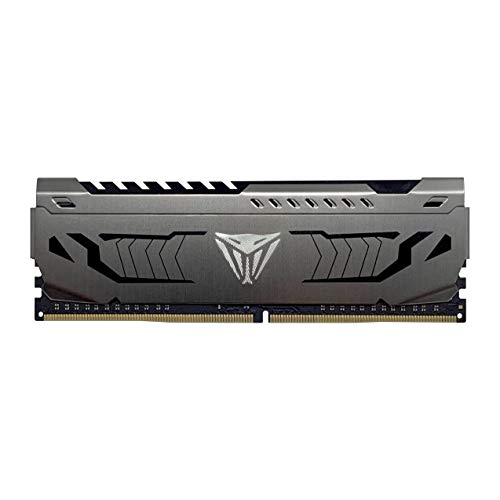 Patriot Memory Viper Steel 16 GB DDR4 3200 CL16 view › Patriot Memory Viper Steel 16 GB DDR4 3200 CL16 view › | DDR4 | 16 GB | 3200 MT/s, CL16 | Desktop, 1x16 | No, single module | View › |
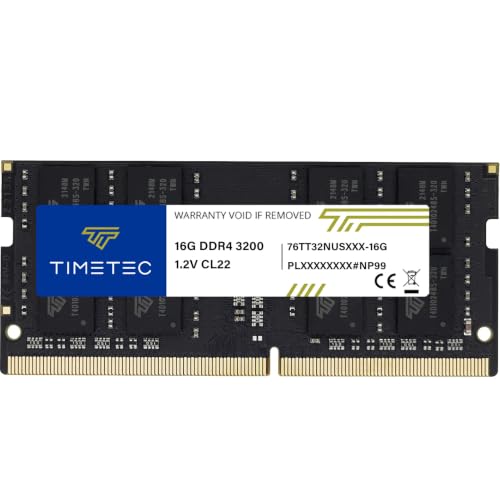 Timetec 16 GB DDR4 3200 SODIMM view › Timetec 16 GB DDR4 3200 SODIMM view › | DDR4 | 16 GB | 3200 MT/s | Laptop SODIMM, 1x16 | No, single module | View › |
Specifications as published by each manufacturer. Where a listing does not state the latency, the table says so rather than filling the gap. The last column is the one most people skip and it is the one that changes performance for nothing: two modules use both memory channels and one module uses half the road.
Two 8 GB modules beat one 16 GB module
This is the decision that gives away the most performance in the entire purchase and it does not cost a penny extra: at the same capacity, always two modules rather than one.
A motherboard talks to memory over two channels. With a single module it works in single channel and uses half the available road; with two matched modules it works in dual channel and uses all of it. On anything that moves a lot of memory, and above all on a machine using integrated graphics where the graphics share that same memory, the difference is more noticeable than raising the frequency would be.
That is why a 16 GB kit made of two 8 GB sticks sits ahead of a single 16 GB stick in this guide, and why the single Patriot module is here with one very specific job: adding capacity to a machine that already has a matching stick in it.
- A kit of two modulesDual channel with nothing to do563%
- A single moduleSingle channel unless you pair it225%
- The listing does not sayKingston FURY: it says 32GB and DIMM, and stops there113%
According to what each listing declares. The one case that does not make it clear is the cheapest kit of the analysis and the one this guide recommends, which is precisely why the check is written into its card: before you pay, confirm on the product page whether it is one module or two.
The kit advertising the biggest discount is not the cheapest in its own line
In a single search for 32 GB DDR5 memory, three references from the same CORSAIR line appear together. All three are 32 GB in two modules of 16, and all three run up to 6000 MT/s. They are, to the buyer, the same product.
One of the three carries a discount of thirty-one per cent against a crossed-out earlier figure. It is the only one of the three showing a percentage, and it is therefore the one that catches the eye in a list of results.
Ranked by what each one actually asks, the discounted reference comes second of the three. One of the other two, with no discount announced at all, asks less than it does. So the percentage does not mark the cheapest reference even inside its own product line on the same day: it marks the one with the highest crossed-out figure behind it.
All three were read through the Amazon API in the same query, on the same day, with the same criteria. What we cannot claim is that the crossed-out figure never existed anywhere: it was not in our register. What is checkable is that it was not what that line was asking that day.
m8d rule: In memory, rank the final figures of other references from the same line and the same capacity before you read the percentage. If the discounted kit is not the cheapest of its own line that day, the percentage is a label on the listing rather than a saving on the product.
The 8 memory kits reviewed


Kingston FURY Beast RGB 32 GB DDR5 6000 CL30 view ›
The best specification on this page: 32 GB of DDR5 at 6000 MT/s with the lowest latency of the eight, on a module certified for both platforms. There is one check to make before buying and it is set out below rather than buried.
- CL30 is the lowest latency of the analysis. At DDR5-6000, CL30 is the point motherboard makers recommend for AMD platforms, ahead of CL36.
- Certified for Intel XMP 3.0 and AMD EXPO at once, so the same module serves both platforms without buying twice.
- ⚠ Its listing says 32GB and DIMM and does not clarify whether that is one 32 GB module or a kit of two 16 GB. This is not a detail: with a single module the system runs in single channel. Confirm it on the product page before you pay.
- CL30, the lowest latency in this comparison
- Intel XMP 3.0 and AMD EXPO on the same module: one kit for either platform
- Boots at 4800 MT/s with nothing configured, then takes the profile
- 6000 MT/s is the point AMD publishes as the sweet spot for its current platform
- Its listing does not say whether it is one module or a kit of two
- Dispatch takes a couple of days rather than being immediate
- RGB lighting, which is not to everyone's taste and adds nothing to performance

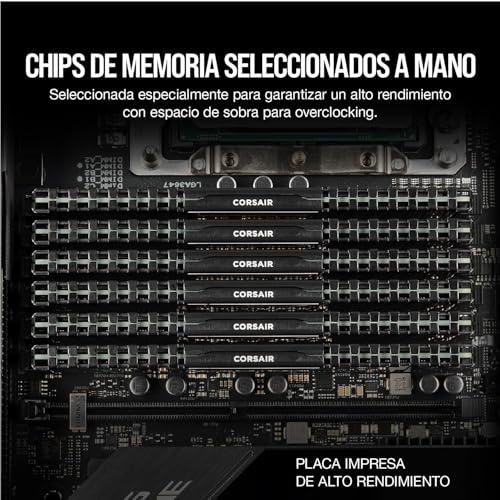

CORSAIR Vengeance LPX 32 GB DDR4 3200 CL16 view ›
Same maker, same family and same capacity as the DDR5 kit further down this page, on the generation your board takes if it is a DDR4 machine. The reason to buy it now rather than later is not a deal: it is that DDR4 is the memory climbing fastest, because it is the one going out of production.
- 3200 MT/s with CL16 is the reference combination on DDR4: above that frequency you pay a lot for very little.
- Two modules of 16 GB, which is what activates dual channel. A single 32 GB module gives the same figure on paper and less real performance.
- Low profile with no tall heat spreader. This is the kit that fits under a large CPU cooler without interference.
- Two 16 GB modules: dual channel from the first day
- Low profile, so it fits under a large CPU cooler without a fight
- CL16, the reference latency on DDR4
- A brand with distribution and warranty handling behind it
- Only works if your motherboard is DDR4: the two generations are not compatible
- Advertises a percentage discount that we have not been able to verify
- It is the older generation, and the one whose production is being wound down
The best RAM for gaming in 2026
Searching for gaming memory has a short answer this year: 32 GB in two modules, DDR5 at 6000, with the lowest latency you can get. In games latency matters as much as frequency, and the CL30 of the Kingston kit in this guide is the best figure on the list, ahead of kits that ask considerably more. Sixteen gigabytes will still start a game, but the recommended requirements published for the big releases of the last two years already ask for that figure for the game alone, before the browser and the voice chat sitting behind it. And dual channel is not negotiable: two modules, always, which is the section above.


fanxiang DDR4 16 GB 3200 (2x8) view ›
16 GB in two modules of 8, which is the sensible floor in 2026 for a general-purpose machine, with dual channel included and no decoration. It is not a name brand, and in this category at this level that matters less than elsewhere: memory either fails in the first hour or it never fails.
- Two 8 GB modules instead of one 16 GB: that is the difference between dual channel and single channel, and at equal capacity it is the decision that gives the most performance for nothing.
- 3200 MT/s is the reference speed of DDR4. Buying faster DDR4 almost never repays the difference.
- No discount percentage announced, which in this category is a good sign: the listings carrying a percentage are the ones that hold up worst under checking.
- Two modules rather than one: dual channel at the entry level
- 3200 MT/s, the reference speed on DDR4
- No inflated discount percentage attached to it
- The lowest outlay on this page that still does the thing that matters
- A brand with no track record and no service network here
- 16 GB is the floor of 2026, not the comfortable answer
- DDR4: only for boards of that generation
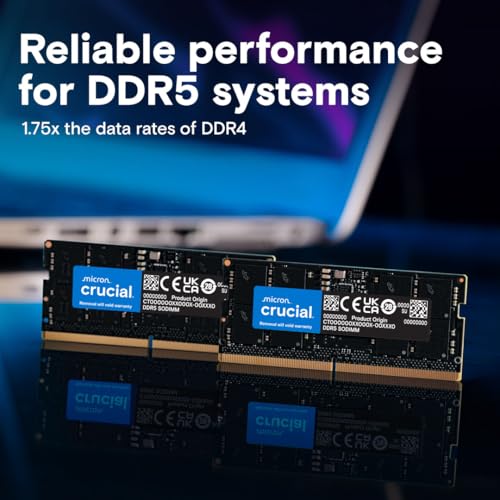
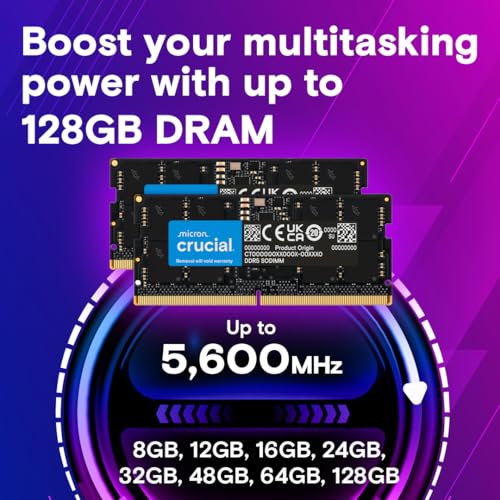

Crucial 32 GB DDR5 5600 SODIMM (2x16) view ›
The upper tier of this comparison for a laptop: 32 GB of DDR5 in two SODIMM modules. Crucial's own spec sheet tells you what to check first, and says it plainly, which is worth more than a round number: it only goes into machines prepared for DDR5 SODIMM.
- Two modules of 16 GB, so it gives dual channel in a laptop too, which is where it matters most because many machines ship with a single module fitted.
- The manufacturer itself warns that 5600 MT/s may settle at 5200 or lower depending on the machine. That is honest and it is real: in a laptop the board decides.
- DDR5 SODIMM does not go into a DDR4 machine, or the other way round. That is the check to make before ordering, along with whether there is a slot at all.
- A kit of two modules, so dual channel in a laptop as well
- 32 GB of DDR5 for machines that accept it
- Limited lifetime warranty from Micron
- The maker states the frequency limitation itself rather than leaving you to find it
- Only for laptops prepared for DDR5 SODIMM
- The real frequency can drop to 5200 MT/s or lower depending on the machine
- Useless if the memory in your laptop is soldered to the board
32 GB of DDR5 at 6000 in two modules of 16, from the reference brand, with voltage regulation on the module. What it does not give you is the latency: its own sheet leaves the CL figure out, and at this frequency that is the specification the decision turns on.
View ›It has one argument none of the other seven has: a limited lifetime warranty with the company that actually makes the memory chips standing behind it. What it does not have is the latency, and at the same frequency that is what separates two kits.
View ›It is a single 16 GB module, and that is precisely its reason to exist: if your machine already has one stick and a free slot, this is the correct purchase. As a starting kit it is not, because one module runs in single channel.
View ›The laptop module on DDR4, in the SODIMM format that is shorter and does not fit a desktop board. If your laptop has soldered memory this is no use at all, and checking that first is not optional: on many thin machines there is nothing to open.
View ›How much RAM you need, and which kit is yours
32 GB of DDR5 at 6000 with CL30. In games latency counts as much as frequency, and CL30 is the lowest on this list. Check on the product page whether it is one module or two before you pay: its listing does not say.
See it on Amazon ›DDR4 or DDR5: which your machine takes, and which is worth having
It is not a choice, it is a check. DDR4 and DDR5 do not go in the same slot and cannot be mixed: the notch on the module sits in a different place on purpose, so that it cannot be forced. What decides it is the motherboard, not the budget.
If your board is DDR4, the question has changed sign this year, and not in the direction you would expect. Moving from a 32 GB DDR4 kit to the DDR5 equivalent used to be a clear step up in outlay; the gap is closing, and it is closing because DDR4 is climbing rather than because DDR5 is falling. Adding memory to an older board is still sensible if the machine has years left in it. If you were already planning to retire it, do not pay a scarcity premium for a technology going out of production.
If you are building from scratch, DDR5 is what you buy and there is no argument. And if the machine is for work rather than games, the figure that matters is capacity rather than frequency: 32 GB at a moderate speed is a better machine than 16 GB at a fast one.
How to find out which generation your board takes without opening the machine. In Windows, open Task Manager, go to the Performance tab and select Memory: the panel gives you the speed, the slots used and the form factor, and on most machines it names the generation as well. That same panel tells you how many slots are occupied out of how many, which is what decides whether you add memory or replace it.
Buy memory now or wait? What the published forecasts say
Everything published points one way. TrendForce's figures, reported through the first half of 2026, describe consecutive quarterly rises in conventional DRAM contract prices rather than any turn, and the reason it gives is structural: incremental supply is going to high-capacity server modules for AI datacentres, which limits availability for PC makers. There is no consensus on when it ends. One manufacturer's chairman has publicly suggested the shortage could persist to 2030; other analysts put it closer to the end of 2027.
So the rule stands and it is short. If you need memory, buy it. If you do not need it, do not buy out of fear. What makes no sense is the third option, waiting for a fall that no published source is forecasting. The sources, with who published them and when, are at the foot of this guide.
Every figure in this guide carries its source and its date. What we have done:
- The specifications come from the sheet each manufacturer publishes. Where a maker does not publish the latency, the table says so instead of estimating it.
- The shortage figures are TrendForce's, as reported by The Register on 2 February and 2 June 2026, and they are quarter-on-quarter movements in contract prices between manufacturers and buyers rather than shop prices.
- The discount audit compares references from the same line and the same capacity, read through the Amazon API in one query on one day. That is the only comparison in which a percentage means anything.
- Availability and catalogue variants were read from the Amazon Spain catalogue on 1 September 2026. Availability, model variants and delivery times differ by country, so what your local Amazon shows may not match this list.
- What we do not know: whether the kit at the top is one module or two, because its own listing does not specify it, which is why that check is written into its card rather than glossed over.
And when the advice expires, it gets corrected in public. This guide previously presented DDR4 as the sensible saving. The readings since then show that window closing, and the text has been changed accordingly rather than quietly left standing.
What is the best value RAM in 2026?›
The Kingston FURY Beast, 32 GB of DDR5 at 6000 MT/s with CL30: the lowest latency of the eight kits compared here, and certified for both Intel XMP 3.0 and AMD EXPO so it works on either platform. One thing to confirm before buying: its listing does not say whether it is a single module or a kit of two, and that decides whether you get dual channel.
How much RAM do I need in 2026?›
16 GB is the sensible floor for office work, browsing and light tasks. 32 GB is the comfortable answer for gaming, editing or keeping a lot open at once, and it is what we would recommend if the budget reaches. Above 32 GB only pays off with specific workloads such as virtual machines or running AI models locally.
Is one 16 GB module better than two 8 GB modules?›
Two of 8 GB, without question, and it costs no more. With two modules the board works in dual channel and uses the full bandwidth; with one it works in single channel. The difference is most visible on machines using integrated graphics. The only exception is if you plan to add more later and want to leave slots free.
Can I put DDR5 in a DDR4 board?›
No. The notch on the module sits in a different position precisely so that it cannot be forced, and no adapter exists. What your machine takes is decided by the motherboard. You can check it in Windows through Task Manager, on the Performance tab, under Memory.
Why has memory become so expensive?›
A supply and demand storm. AI datacentres are absorbing production because manufacturers prioritise the higher-margin server modules, and at the same time DDR4 is being wound down. TrendForce's figures, reported by The Register, put the first quarter of 2026 at up to 98% quarter-on-quarter on conventional DRAM contract prices and forecast another 58 to 63% for the second. Estimates for when it normalises range from the end of 2027 to 2030.
What do CL30 and CL36 mean on a memory kit?›
Latency: how many clock cycles the memory takes to respond. Lower is better at the same frequency. At DDR5-6000, CL30 is what board makers recommend for AMD platforms and CL36 is a step below it. In this comparison the kit with the best latency is also the cheapest, which is the opposite of what the pricing suggests.
Does desktop RAM work in a laptop?›
No. Laptops use the SODIMM format, with 260 pins and a shorter board; desktops use DIMM with 288. They are not interchangeable. And before buying anything for a laptop, check whether the memory can be upgraded at all: on many thin machines it is soldered to the board and there is no slot to open.
Is DDR4 still cheaper than DDR5?›
Not per gigabyte, and that is the reversal of 2026. Across the kits compared here the older generation now asks more for each gigabyte than the newer one, because DDR4 production is being wound down during a shortage and a component nobody is manufacturing does not get cheaper. If your board takes DDR4, buy what you need now. If you were choosing a platform, the memory is no longer a reason to stay on the old one.
Will RAM prices come down, and when?›
Nothing published points to it in the short term. TrendForce forecasts further rises through 2026 and puts normalisation no earlier than 2027 or 2028, because production is prioritising memory for AI datacentres, while the chairman of one manufacturer has suggested it could run to 2030. The practical consequence: if you need memory, waiting works against you; if you do not need it, do not buy out of fear.
Which are the best RAM brands in 2026?›
The ones in this guide cover the real market: Kingston, CORSAIR, Crucial (Micron's consumer brand, and Micron is one of the three companies that actually make the chips), Patriot, and fanxiang and Timetec as value names. More than the badge, what decides it is the spec sheet: capacity, generation, speed and latency written down, and whether the maker publishes a lifetime warranty, which the large memory brands generally do.
If we had to pick one, the Kingston FURY Beast 32 GB kit, with the one-module-or-two check done before you pay. If your board is DDR4, the CORSAIR Vengeance LPX 32 GB, bought sooner rather than later: it is the generation that climbs because it is the one going out of production. And on a tight budget, 16 GB in two modules, which gives you dual channel and is what you actually feel.
m8d pick, with one check before you buyKingston FURY Beast RGB 32 GB DDR5 6000 CL30See it on Amazon ›The published figures behind this guide, with who reported them and when.
- TrendForce, reported by The Register, 2 February 2026DRAM contract prices forecast to rise 90 to 95% quarter on quarter, revised up from 55 to 60%Read on 1 September 2026. Also gives PC DRAM roughly doubling from the previous quarter, and the steepest increases in the history of LPDDR memory.
- TrendForce, reported by The Register, 2 June 2026Conventional DRAM contract prices up as much as 98% in Q1 2026, with another 58 to 63% forecast for Q2Read on 1 September 2026. Also the note that incremental supply is prioritised for high-capacity server modules, limiting availability for PC and smartphone makers, and the divergence between analysts on when the shortage ends.
- Each manufacturer's published spec sheetSpecifications of the eight kitsCapacity, generation, speed, latency, format and warranty terms. Where a maker does not publish the latency, this guide says so.
- m8d registerAvailability and catalogue variantsAmazon Spain catalogue, read on 1 September 2026. Availability, model variants and delivery times vary by country.