Best CPU for local AI in 2026: five processors compared on the memory bandwidth that caps CPU inference
 m8d.ioUpdated on

This guide contains affiliate links. As an Amazon Associate, m8d.io earns from qualifying purchases, at no extra cost to you.
If you are building a machine to run language models on your own hardware, the question that gets asked last is usually the one asked first: which processor do I need for local AI? The short answer is that you need less processor than the category implies, and the reason is a single number that almost no buying guide prints.
Every large language model has to read its own weights out of memory to produce each token. That read is the work. So when a model runs on the CPU, the ceiling is not how many cores you have: it is how fast the chip can pull data out of system memory, and that is a published specification. This guide compares five processors on that number, explains what it means for the model sizes people actually run at home, and says plainly at which point buying more processor stops changing anything.
Updated on 1 September 2026 · five processors read from the Amazon Spain catalogue, with specifications taken from Intel and AMD. Availability, model variants and delivery times differ by country. · As an Amazon Associate, m8d.io earns from qualifying purchases.
What actually limits a CPU running an AI model locally
A model in memory is a block of numbers. To write one token it has to read that block, and then read it again for the next token. That gives an arithmetic ceiling that has nothing to do with cores:
Tokens per second, at best, equals memory bandwidth divided by the size of the model in memory. A four-bit 8-billion-parameter model occupies roughly 5 GB. On a desktop with two memory channels, that arithmetic lands in the low tens of tokens per second, and it lands there whether the chip has six cores or twenty-four.
This is why the advice you see on forums, that CPU inference is "slow", is only half the story. It is not slow because the processor is weak. It is slow because a desktop has two memory channels, and two channels is two channels on every chip that fits the socket. Add cores and they queue for the same road.
The consequence for a shopping decision is unusual and worth stating early: in this category, the mid-range part and the flagship frequently have identical published memory bandwidth. The next two sections show that with the manufacturers' own numbers.
What decides a CPU for AI work
Not the gigahertz. These are the three specifications that change what a local model does on your machine, in the order they matter.
Memory channels and speed
Together they are the bandwidth ceiling. Two channels of DDR5-5600 is one number; four channels of DDR5-6400 is another number entirely.
How much memory it will address
What decides whether a large model loads at all when it does not fit on the graphics card. Capacity first, then speed.
PCIe lanes
Only matters when you want more than one graphics card. A desktop socket runs out of lanes at the second card; a workstation socket does not.
The five processors, compared on memory bandwidth
Every figure in the first three columns is published by Intel or AMD for that part. The bandwidth column is the arithmetic those figures produce: memory speed in megatransfers per second, multiplied by eight bytes per channel, multiplied by the number of channels.
| Processor | Cores and threads | Memory the maker rates it for | Bandwidth that produces | Socket |
|---|---|---|---|---|
| Intel Core i5-14600K | 14 cores (6P + 8E), 20 threads | 2 channels, DDR5-5600 | 89.6 GB/s | LGA1700 |
| Intel Core i9-13900K | 24 cores (8P + 16E), 32 threads | 2 channels, DDR5-5600 | 89.6 GB/s | LGA1700 |
| AMD Ryzen 9 7950X3D | 16 cores, 32 threads | 2 channels, DDR5-5200 | 83.2 GB/s | AM5 |
| AMD Ryzen 5 3600 | 6 cores, 12 threads | 2 channels, DDR4-3200 | 51.2 GB/s | AM4 |
| AMD Ryzen Threadripper 9970X | 32 cores, 64 threads | 4 channels, DDR5-6400 | 204.8 GB/s | sTR5 |
Memory ratings and core counts as published by Intel and AMD for each part, read on 1 September 2026. The bandwidth column is arithmetic from those ratings, not a benchmark: it is the ceiling the platform allows, and real throughput sits below it. A motherboard can be run above the rated speed, which moves the number for everyone equally and does not change the ranking.
Read the table by its fourth column and the category rearranges itself. The 24-core Intel and the 14-core Intel share a ceiling. The 16-core AMD with the enormous cache sits below both of them. And the only part that changes the number does it by adding two more memory channels, not by adding cores.
Intel publishes the same memory bandwidth for the i5 and the i9
The claim, and what the spec sheet says
What the category implies: a Core i9 is the processor for demanding AI work and a Core i5 is the compromise. Every tier list in this SERP is arranged that way, ours included until we checked.
What is checkable: both parts sit in the same LGA1700 socket, both are dual-channel, and Intel rates both for DDR5-5600. Two channels at 5,600 MT/s is 89.6 GB/s, and Intel prints that same figure on both product pages. For a model that is being read out of system memory, the flagship offers the mid-range part nothing at all.
How we know: the memory specification on each processor's page at Intel, read on 1 September 2026. This is arithmetic on a published number, which is why you can repeat it in thirty seconds.
The rule: before paying for a bigger processor to run models locally, open both spec sheets and compare the memory line. If the channel count and the rated speed are the same, the extra cores will not raise your tokens per second. They will shorten the other jobs on the machine, which is a different reason to buy them.
What the extra cores of the i9 do buy is everything that is not the model: preparing data, running the container, keeping the desktop responsive while a job is going, compiling. Those are real and they are worth money to some people. They are just not the thing the category sells them for.
Which processor for your case: pick how your model runs
Three ways people actually run models at home, and they lead to three different processors. Pick the one that describes your machine and the selector below names the part from this guide that fits it, with the reason. It opens on the most common case: a model small enough to live on the graphics card.
Where does your model actually run?
Choose your situation and you get the part, and the reason, in one line.
Then the processor is not your bottleneck and you should spend the difference on the card. The AMD Ryzen 5 3600 in this guide keeps a machine feeding a graphics card perfectly well: six cores, twelve threads, and a socket whose motherboards and memory are the cheapest of the five. Put the saving into video memory, because that is what decides which model you can load.
This is where the processor starts to matter, and it matters through memory rather than cores. On a desktop socket the ceiling is roughly the same everywhere, so the sensible buy is the part that gives you the most working machine for the money: the Intel Core i5-14600K, with the fastest memory kit its board will take and enough capacity to hold the whole model. Capacity first, speed second, cores third.
Two cards or more, or a model that has no chance of fitting anywhere else, is the one case that justifies leaving the desktop platform. The AMD Ryzen Threadripper 9970X is here for its four memory channels and its 88 usable PCIe lanes, not for its 32 cores. If you do not need either of those two things, this is a large amount of money for cores you will not saturate.
When the CPU stops mattering, and how to tell you are there
There is a clean line in local inference, and it is worth knowing which side of it you are on before you spend anything.
If the whole model fits in the graphics card's memory, the card reads the weights and the processor's job shrinks to housekeeping: moving the prompt in, moving the tokens out, running the software around it. On that side of the line the difference between the cheapest and the most expensive chip in this guide is close to nothing, and every pound moved from the processor to the card is a bigger model you can run. Which model fits which card is the whole subject of our graphics cards for local AI guide, and it is the decision to make first.
If the model does not fit, part of it is held in system memory and read across the processor's memory controller for every token. Now you are living on the number in the table above, and the machine slows to the speed of that road. This is the situation the phrase "offloading to CPU" describes, and it is where a wider memory bus is worth more than any core count.
Knowing which side you are on takes one line of arithmetic: compare the size of the model file on disk with the memory on your graphics card, and leave a couple of gigabytes of headroom for the context window and the desktop. If the file is smaller, you are on the easy side.
Four memory channels and 88 lanes: what a workstation platform buys
The Threadripper in this guide is the only part that changes the arithmetic rather than working inside it, and it is worth being precise about how, because the reason is not the one on the box.
AMD publishes the 9970X as a 32-core, 64-thread part on the sTR5 socket with quad-channel DDR5 at up to 6,400 MT/s and 88 usable PCIe 5.0 lanes, with a 350 W default power figure. Four channels instead of two doubles the road, and the memory rating is a step above the desktop parts on top of that: the arithmetic comes out around two and a third times the bandwidth of the LGA1700 pair. That is the entire case for it in this context.
The lanes are the second half. A desktop socket has enough for one graphics card at full width and very little after that; 88 lanes is enough for several cards plus fast storage without anything dropping to half speed. If your plan involves two cards, this is the platform question, not a luxury.
And the honest counterweight: 350 W is a serious amount of heat and a serious power supply, the socket needs registered memory rather than the kits you would buy for a desktop, and the whole platform costs a multiple of the others here before you have bought a card. For one graphics card and models that fit on it, none of that returns anything.
The five processors, one by one
Intel Core i5-14600K: the sensible centre of this list
Fourteen cores split into six performance and eight efficient, twenty threads, and the same 89.6 GB/s memory ceiling that Intel gives its own flagship. For a machine whose graphics card does the model and whose processor does everything else, this is the part with nothing wasted in it. It is also the only one of the five that our catalogue reading showed with normal availability rather than a handful of units.

Intel Core i5-14600K

Desktop processor with 14 cores (6 performance + 8 efficient) and up to 5.3 GHz. Dual-channel DDR5-5600 or DDR4-3200 depending on the board.
View on AmazonAMD Ryzen 5 3600: the one to buy when the card does the work
Six cores and twelve threads on the older AM4 socket, with a cooler in the box. Its memory ceiling is the lowest here by a distance, because DDR4 at 3,200 MT/s across two channels is 51.2 GB/s, so it is the wrong choice if models are going to spill into system memory. It is the right choice for the far more common case: a card that holds the whole model, and a processor that only has to keep it fed. AM4 boards and DDR4 kits are the cheapest entry into a machine that runs anything at all.

AMD Ryzen 5 3600
Six-core, twelve-thread processor with a Wraith Stealth cooler included. AM4 socket, dual-channel DDR4.
View on AmazonIntel Core i9-13900K: 24 cores, and the same memory road
Eight performance cores and sixteen efficient ones, up to 5.8 GHz, and the memory specification of the i5 above. Everything the extra cores give you lives outside the model: video encoding, large compiles, several containers at once, a desktop that stays smooth while a long job runs. If that is your day, this is a good processor and the AI framing is beside the point. If your day is one model at a time, you are paying for cores that will wait on memory alongside the others.
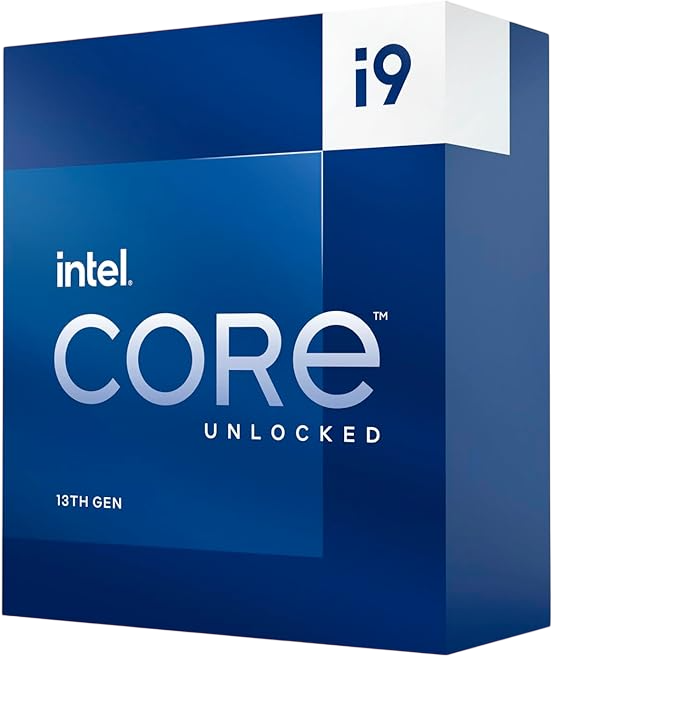
Intel Core i9-13900K
Desktop processor with 24 cores (8 performance + 16 efficient) and up to 5.8 GHz. Dual-channel, same memory rating as the i5-14600K.
View on AmazonAMD Ryzen 9 7950X3D: a very large cache that a model walks straight past
Sixteen cores, 128 MB of L3 across the two compute dies thanks to the stacked cache, and a 120 W default figure on the AM5 socket. The cache is genuinely transformative in games, where the working set is small enough to live in it. A model is not: several gigabytes of weights read end to end will not sit in 128 MB, so the read falls through to memory, and AMD rates this part for DDR5-5200, which is a step below the Intel pair. It is an excellent processor bought for the wrong reason here.

AMD Ryzen 9 7950X3D
Sixteen-core processor with 3D V-Cache: 128 MB of L3 in total, AM5 socket, 120 W default power.
View on AmazonAMD Ryzen Threadripper 9970X: the only one that moves the ceiling
Thirty-two cores and sixty-four threads, but the two numbers to buy it for are four memory channels and 88 usable PCIe lanes. It is the one part here that changes the arithmetic instead of working inside it, and it is also the one whose ticket sits far outside what most of this audience is spending. Before you consider it, be sure your answer to "how many graphics cards" is more than one, because that is the question it actually answers.
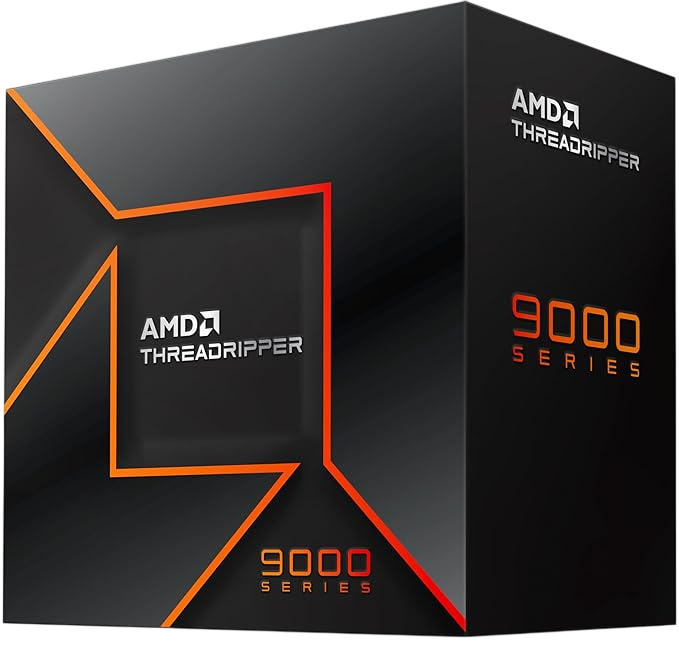
AMD Ryzen Threadripper 9970X
Thirty-two cores and sixty-four threads on the sTR5 socket, with quad-channel DDR5 and 88 usable PCIe 5.0 lanes.
View on AmazonWhere each one sits, in one view
Grouped by what they are actually for, rather than by price.
The rest of the build, in the order that actually decides it
The processor is rarely the component that changes what a machine can run. Here is the order we would spend in, and the guide for each decision.
1. Graphics card memory. This decides which models load at all. Everything else is a rounding error next to it, and the comparison is in the best GPU for local AI.
2. System memory, capacity before speed. 32 GB is the working minimum; 64 GB is what lets a large model spill without the machine giving up. In 2026 this is also the component whose supply is under the most pressure, which is covered in our memory guide.
3. Storage that can read fast. Model files are enormous and get read from disk every time you load one. An NVMe drive turns a coffee-length wait into a few seconds: the nine we compared are in the SSD guide.
4. The processor. Here, and for the reason set out at the top of this page.
5. Cooling and the power supply. Sustained inference is a sustained load, not a burst. The power figures on these parts are the continuous figures, and a card is added on top of them.
If you would rather not assemble any of it, the same reasoning applied to a portable machine is in our laptop guide, including the memory question that decides whether a laptop can be upgraded at all.
Questions about CPUs for local AI
Which CPU is best for running LLMs locally?
For most people, the one that keeps a graphics card fed without wasting money: the Intel Core i5-14600K of this guide, whose published memory bandwidth matches Intel's own flagship. If your models are going to run partly in system memory, the thing to buy is not a bigger desktop chip but a platform with more memory channels, which on this list means the Threadripper 9970X.
Does the number of cores matter for AI inference?
Much less than the category suggests. Producing a token requires reading the model out of memory, and on a desktop socket every processor shares the same two memory channels. Extra cores help everything around the model, from data preparation to the rest of your desktop staying usable, but they do not raise the tokens-per-second ceiling.
Do I need a graphics card at all, or will the CPU do?
The CPU will do it, slowly, and that is a legitimate way to run a small model on a machine you already own. The arithmetic is at the top of this page: divide your memory bandwidth by the size of the model. If you want a usable speed on anything bigger, the model needs to sit in graphics memory.
How much RAM do I need for local AI?
32 GB is the sensible floor if the model lives on the graphics card, because the rest of the machine still has to work. 64 GB is what makes it possible to load something larger than the card can hold, at the speed the memory bus allows. Capacity decides whether a model loads; speed decides how fast it then runs.
Is a Threadripper worth it for AI at home?
Only for two reasons, and both are platform reasons rather than core-count ones: four memory channels instead of two, and 88 usable PCIe lanes instead of enough for one card. If you are running a single graphics card with models that fit on it, the money returns nothing at all here.
Are these five the fastest processors of 2026?
No, and we would rather say so. Newer parts exist and some of them change the picture, particularly designs that pair the processor with a very wide unified memory pool. What this page compares is five processors that are in our catalogue, on the specification that governs the job, so that you can apply the same reading to whatever else you are looking at.
How we put this together
What this page does is take the memory specification each maker publishes for each part, do the arithmetic that turns it into a bandwidth figure, and read that against what a language model has to do to produce a token.
Core counts, clock speeds, cache, socket, memory ratings, channel counts, power figures and PCIe lane counts come from Intel and AMD. Availability and specifications were read from the Amazon Spain catalogue on 1 September 2026: availability, model variants and delivery times vary by country, so what your local Amazon shows may differ from this list.
What we cannot tell you is how many tokens per second any of these will produce on your machine, because that depends on the model, the quantisation, the software and the memory you pair it with. The ceiling is arithmetic and it is published. The number underneath it is not, and we are not going to invent one.