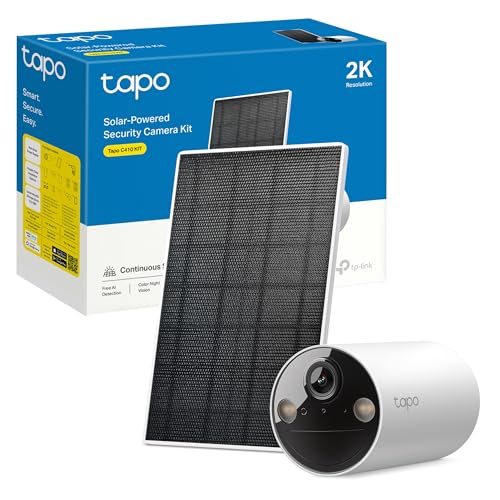
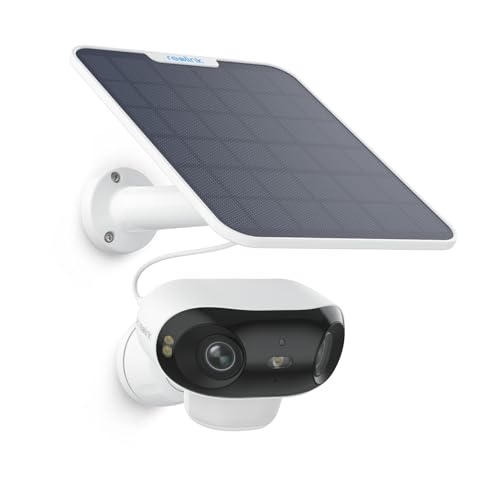
The best home CCTV with no subscription in 2026 is the TP-Link Tapo C220 indoors, because it records to a microSD card with nothing to sign up to; the eufy eufyCam C37 if you want face recognition that happens on a base in your house rather than in somebody's cloud; and the eufy SoloCam S220 for a back door or a side passage. Before you drill anything, check one thing almost no list mentions: the moment a camera sees past your own boundary, the published UK guidance says the UK GDPR and the Data Protection Act apply to you.
Updated on 31 August 2026Specifications read from each maker's own listing on the Amazon catalogue we track. Availability and models vary by country.As an Amazon Associate, m8d.io earns from qualifying purchases. It does not change what we recommend or why.
The law is the part nobody covers. The official guidance on domestic CCTV, published on GOV.UK and updated on 21 May 2026, is explicit: if your system captures images of people beyond the boundary of your property, the GDPR and the DPA apply to you, with duties on purpose, on people's rights over their own images, and on deleting footage.
That turns into a buying criterion, and it is privacy zones. The same guidance suggests systems "which have privacy filters" when a camera's range takes in a neighbour's property or a pavement. Six of these ten let you black out part of the frame.
Six of the ten record with nothing to pay monthly. The other four need an account to keep a single clip. That is a decision, not a detail: without the plan, some of these show you a live picture and save nothing.
Audio is the stricter half. The ICO treats voices captured by a home camera as other people's personal information, and its list of duties covers "images or audio, or both". Most of these ship with the microphone on.
Where the footage goes decides the rest. A card in the camera, a cloud run by the maker, or a network drive in your own house. We rate all ten on it.
Most British "best home CCTV" lists are written by installers, and they answer a different question: which wired system a fitter should put in, with an NVR in the cupboard and a day's labour. This one answers the question people actually type: which cameras a household can put up itself, which of them record without an account, and what changes legally the moment one of them can see the pavement, the shared drive or next door's garden. Ten cameras, judged on the same six criteria.
0 cameras
compared on the same six criteria
0 of 10
record with nothing to pay monthly
0 duties
the published guidance puts on you once the camera sees past your boundary
0 units
supplied to us by any manufacturer
// How we judged them
Each camera is scored on six things you can check yourself: resolution and field of view, whether it records without an account, whether you can mask part of the frame, where the footage physically ends up (a card, a base in your house, or a company's servers), the brand's published incident history, and how it is powered.
How we know: the analysis rests on each maker's own published specification, on public regulatory records such as the FTC's 2023 case against Ring, and on the official UK guidance quoted below rather than paraphrased from memory. The privacy score is our own editorial judgement, with its method in plain sight.
What UK law makes you responsible for
Pointing a camera at your own front door is a domestic matter. Pointing one that also takes in the pavement, a shared drive or a neighbour's garden is not. The official guidance on domestic CCTV, published on GOV.UK and updated on 21 May 2026, draws the line by what the camera can see, not by what you intended.
What the guidance actually says
What the box suggests
"Watch your home from anywhere. Catch anyone who comes near it."
Nothing in the packaging mentions that a driveway is often shared, that a front garden usually fronts a public pavement, and that a 150 degree lens on a terraced house sees two front doors that are not yours.
What the published guidance says
"If your CCTV system captures images of people outside the boundary of your private domestic property... then the GDPR and the DPA will apply to you."
The examples it gives are "neighbours' homes or gardens, shared spaces, or from public areas". A pavement is a public area. A communal entrance is a shared space.
And what that makes you
Responsible, not banned.
The same guidance sets out three duties: use the footage only to protect your property, be ready to respond to a subject access request from somebody you have filmed, and delete recordings once they are no longer needed.
Read the three duties again, because they are ordinary things that most people have simply never been told. You "must make sure that the information is not used for any other purpose than protecting your property", which rules out putting a clip of a delivery driver on a local Facebook group. You "will need to be aware of individuals' data protection rights", which in practice means that somebody you filmed can ask you for the footage of themselves. And you "should not store any information or images for longer than is necessary to protect your property". None of that is hard. It is just a set of obligations that arrives with the camera and is not printed on the box.
The m8d rule for this category
If the camera only sees your own property, it is a household camera. The moment it takes in a pavement, a shared entrance or next door's garden, you are processing other people's personal data and UK data protection law applies to you. You can check which one you have in ten seconds: open the app, look at the live picture, and see where the frame stops.
Two smaller points that are easy to miss and change the answer. The first: the guidance also asks you to be transparent, and it names two ways of doing it, "informing your neighbour(s) about your system" and "putting up a notice informing people that recording is taking place". The second: the regulator treats sound as the more intrusive half. The ICO's own public guidance says home cameras "can capture images and voices of other people, and this counts as their personal information", and the list of duties it publishes covers "images or audio, or both". Almost every camera on this page arrives with the microphone switched on.
Five questions before you drill the wall
Answer honestly. This is a prompt to think, not legal advice.
1. Does the camera see only your own property: your door, your garden, your drive?
2. If it takes in some pavement or road, is it the smallest strip the position makes unavoidable?
3. Have you masked anything beyond your boundary with a privacy zone, or angled the camera down so it never appears?
4. Have you told your neighbours, and is there a notice saying that recording takes place?
5. Is audio recording switched off, unless you have a specific reason for it?
A prompt to think, not legal advice. The questions follow the official guidance on domestic CCTV published on GOV.UK, updated 21 May 2026, and the Information Commissioner's Office public pages on home CCTV. Filming somebody covertly sits under a very different set of rules, and hidden cameras are outside the scope of this guide on purpose.
The buying criterion that comes out of it: can you black out what is not yours?
The guidance itself points at the feature. Under the question of whether your camera's range will include "my neighbours' property, gardens, pavements or other areas", it says: "you could consider systems that can reduce intrusion, such as those which have privacy filters". That is a specification, and it is one that no British buying guide puts in its comparison table.
The feature has three names depending on the brand: privacy zone, privacy mask, activity zone. They are not the same thing and the difference matters. An activity zone only decides where motion triggers an alert; the camera still records the whole frame. A privacy zone or mask blacks the area out of the video itself, so the neighbour's window is not in the file at all. If you have a front-facing camera on a terraced street, that is the setting you want, and it takes about five minutes on the day you install it.
The five-minute setup that keeps you on the right side of it
✓Aim first, mount second. Hold the camera where you plan to fix it, look at the live view on your phone, and move it until the frame stops at your boundary. Tilting down five degrees usually removes an entire pavement.
✓Draw the privacy mask over anything that is still in frame and is not yours, in the app, before you record anything worth keeping.
✓Turn the microphone off unless you have a reason for it. Sound is the part the regulator treats as more intrusive, and almost nothing about home security needs it.
✓Put a notice up and tell the neighbours. The guidance names both, and in a terrace or a block it is also the thing that stops the conversation before it starts.
✓Set the retention so old clips are overwritten. The guidance asks you not to keep footage longer than needed, and a card that loops does that on its own.
✓Check the clock. The guidance is specific that the date and time on the system should be accurate, and it is the first thing that makes a clip useless as evidence.
The 10 home CCTV cameras compared
Sorted by where they go. Look at the last three columns rather than the first two: they are the ones that decide whether you end up paying monthly, whether you can mask what is not yours, and who else can see the footage.
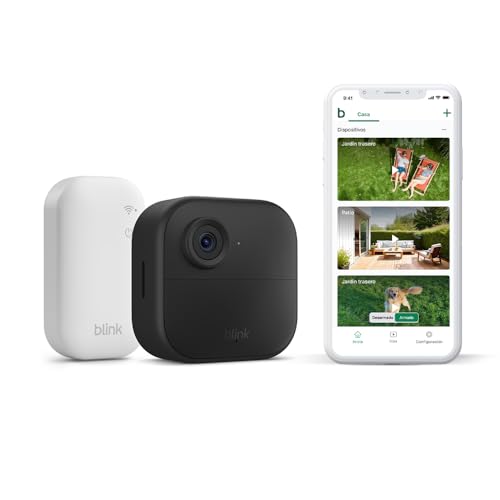
Resolution, power and storage are as declared by each maker on its own listing. Blink: the bundle ships with the Sync Module Core, which does not take local storage; recording without the cloud needs the Sync Module 2 with a USB stick, sold separately. Availability, model names and bundles vary by country. Affiliate links: as an Amazon Associate, m8d.io earns from qualifying purchases.
Recording with nothing to pay monthly
Six of these ten save video on their own, forever, with no account beyond the app. The other four keep a clip only while a plan is running. That is the sentence to hold on to, because the two groups look identical on a shelf and behave completely differently on the day something happens.
The trap is not the plan itself. A cloud plan is a reasonable thing to buy: it puts a copy of the footage somewhere a burglar cannot take it, which a card inside the camera does not. The trap is not knowing which group you are in. On a subscription camera with no plan running, motion still triggers a notification and you can still open the live view. What you cannot do is go back and watch what happened while you were at work, because nothing was written down. The tool below is there to make you look that up before you buy rather than after.
How many monthly payments does this camera commit you to?
Pick a camera, pick how you want the footage kept, pick how long you expect to keep it. The number is monthly payments, not money: what a plan costs is set by the maker in your country and changes, but whether you need one at all is fixed by the hardware.
24 monthly payments
Whether a camera can record without an account is declared by each maker on its own listing. What a plan costs is not, and it varies by country, so this tool does not guess at it: it counts the payments the hardware commits you to.
The camera below is the one that answers this section most directly: it stores video inside its own body, it charges itself off the sun, and there is nothing at all to sign up to.
m8d pick · Outdoors with nothing monthly
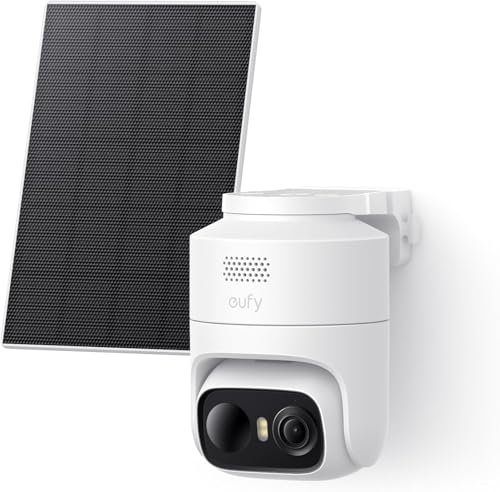
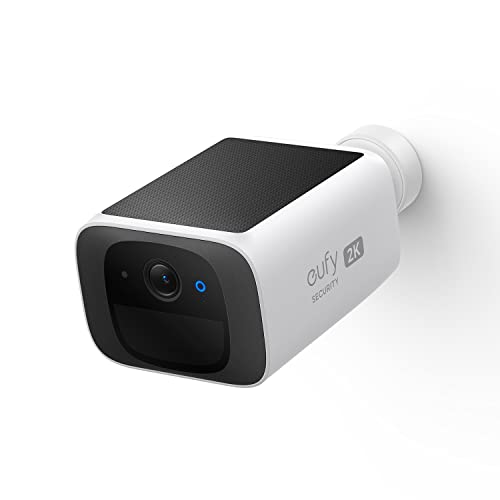
eufy SoloCam S220 (solar)
2KSolar panel built inIP67Storage on boardNo hub needed
Fit it and forget it, in the literal sense: the solar panel is part of the body rather than a dangling accessory, so on a south-facing wall you never take it down to charge. It writes clips to storage inside itself, with no account and no card to buy.
Notes from real use
The solar maths is honest but has small print, and British small print at that: on a north-facing wall in December, "a few hours of sun a day" is not a given, so aim it south or south-west, or accept charging it by hand once or twice a winter. The on-board storage holds event clips rather than a continuous recording, and it is not expandable, so if you want a long history the Reolink with a card is the other lane. One brand note we include because history matters and not because the current product is weak: eufy's 2022 encryption incident was closed out with end-to-end encryption across the range, and it is scored below.
ForSolar, on-board storage and IP67 with nothing to sign up to
AgainstStorage is not expandable; no face recognition, that is the HomeBase range; shade means charging it by hand
Availability and delivery handled by Amazon in your country · As an Amazon Associate, m8d.io earns from qualifying purchases.
If you are already in the Ring and Alexa world
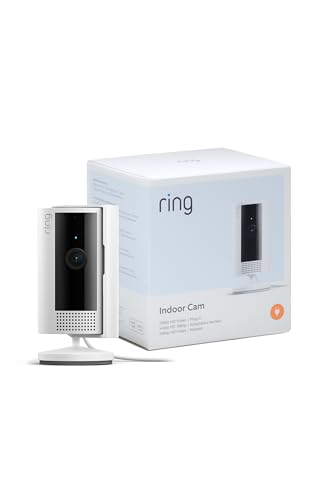
If there is already a Ring doorbell on the porch or an Echo Show in the kitchen, the calculation changes: you are probably paying for a plan anyway, and a second device on the same account costs you nothing extra in monthly payments. These three are the best of that approach, with the asterisk kept in view rather than in a footnote:
Outdoor · the hardware bargain*
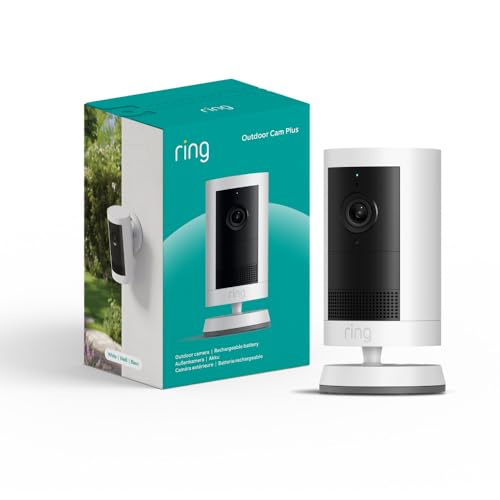
Ring Outdoor Plus 2K
As hardware, the strongest of Ring's current outdoor line. *The asterisk: recording needs a Ring plan, so count the monthly payments before you compare it with anything on this page that records to a card. If the doorbell is already on a plan, add it without hesitating.
The neatest integration with Alexa and an Echo Show, and it has a physical cover that slides over the lens, which is the one thing that settles an argument about a camera in a living room. The asterisk: without a plan you get the live view and nothing saved.
Its trick is battery life measured in years from two lithium AA cells, which is the honest answer for a shed roof or a north-facing wall where a solar panel will never see enough winter sun. Watch the bundle: the Sync Module Core it ships with does not take local storage.
As an Amazon Associate, m8d.io earns from qualifying purchases. Model names and bundle contents vary by country.
The indoor pick, in detail: Tapo C220
Indoors, the deciding specification is not resolution, it is how the camera behaves when you are at home. Everything in this class does 1080p or 2K. What separates them is whether the lens can be covered, whether motion alerts can tell a person from a cat, and whether anything leaves the house at all.
m8d pick · Best indoors
TP-Link Tapo C220
2K, 4 MP360 degree pan and tiltPeople, pets, cryingmicroSD to 512 GBAlexa and Google
The point where you get the most camera for the least commitment. Real 2K, an on-device detection engine that separates people from pets, which is the difference between a useful system and one you mute after a week, and a full 360 degree sweep. It writes to a microSD card: nothing monthly, and the clips stay in the room they were filmed in.
Notes from real use
Two practical warnings that come up constantly and are easy to fix before you buy. It joins 2.4 GHz networks only, and most British broadband routers ship with a single combined network name covering both bands, so split them or use the router's guest band before you start the setup. And without a card inside it records nothing: add a 64 or 128 GB high-endurance microSD to the order. One more nuance that matters for a living room: its privacy mode rotates the lens away rather than physically covering it, so if a lens pointed at a wall is not enough reassurance for your household, the Imou below has a real shutter.
For2K, person detection and local recording with nothing to sign up to
Against2.4 GHz only; no card in the box; privacy mode is software, not a shutter
Availability and delivery handled by Amazon in your country · As an Amazon Associate, m8d.io earns from qualifying purchases.
The two cheaper ways into an indoor camera
If the C220 is more camera than the room needs, these two cover the same ground for less, and one of them answers the household argument about a lens in the living room better than anything else here:
Indoor · a real shutter
Imou Ranger 2K
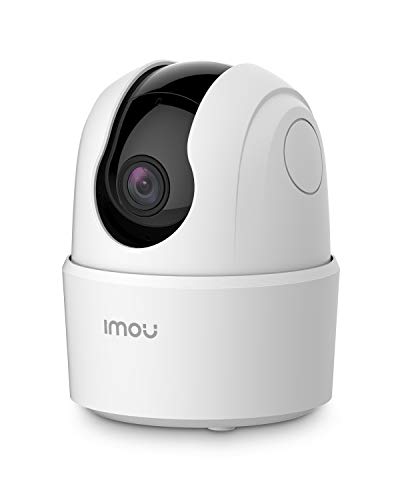
2K with a siren, and the lens physically retracts and hides in privacy mode rather than just turning away. Our guidance if you buy it: run it entirely on the card with the cloud left alone. It is part of the Dahua group, which is covered in the privacy scoring below.
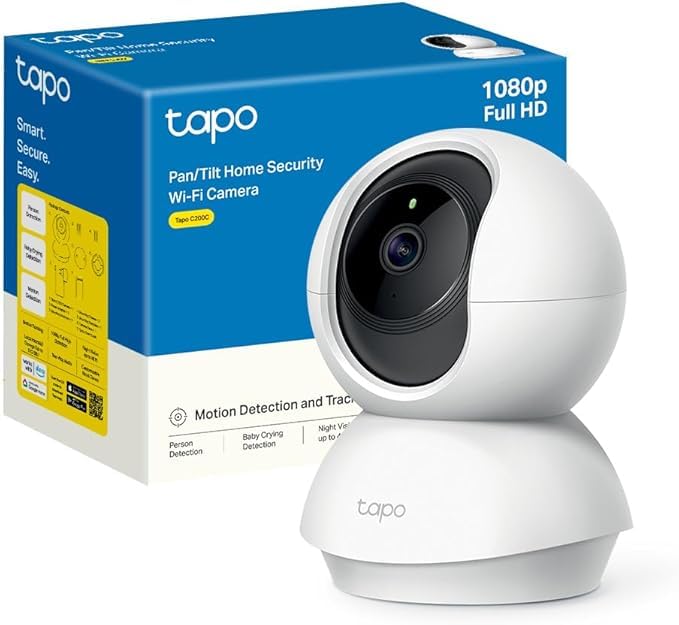
The way in: 1080p, 360 degrees and a card slot with no plan attached. If you can stretch to the C220 you get 2K and person detection, which is what stops the notifications becoming noise, but this one is a real camera and not a toy.
The outdoor equivalent of the C220: 2K, person detection, a card slot with no plan and the solar panel in the box. It is the direct rival to the SoloCam above, winning on expandable storage and losing on how neatly the panel is integrated.
If the camera is going outside: weatherproofing, battery life through a British winter and night vision matter more than anything on this page, and they get their own comparison in our guide to outdoor security cameras that record without a subscription.
Who can see your footage: the m8d privacy score
This is the part no camera comparison covers and the one that decides how much of your house is on somebody else's server. We score each brand from zero to ten on five things: whether it can run entirely on your own equipment, encryption and two-factor sign-in, where the processing happens, the brand's published incident history, and whether recording anything at all requires a paid plan. Our editorial judgement, built on facts you can check.
Reolink Argus 4 ProArgus Eco and family
Can run fully on your own kitRTSP and ONVIF to a NASNo plan neededNo major published incident
9.0/10
eufy eufyCam C37with HomeBase Mini
Faces recognised on the base, at homeNo plan needed2022 incident, closed with end-to-end encryption
8.5/10
eufy SoloCam S220solar
Storage inside the cameraNo plan needed2022 incident, closed with end-to-end encryption
8.0/10
TP-Link Tapo (C220, C410, C200C)the Tapo family
Card in the camera, no planAES-128 and TLS, ISO 27001Cloud only if you add Tapo Care
7.5/10
Imou Ranger 2KDahua group
Card in the camera plus a real shutterChinese parent company (Dahua)Listed under the US NDAA restrictions for government use
6.0/10
Blink Outdoor 4Amazon
Cloud by defaultLocal only with the Sync Module 2, sold separatelyTwo-factor sign-in
6.0/10
Ring (Indoor, Outdoor Plus)Amazon
2023 FTC order over staff access to customer videoRecording requires a planSince then: multi-factor and optional end-to-end encryption
5.5/10
The verifiable facts behind those pills: in May 2023 the United States Federal Trade Commission acted against Ring after finding that employees and contractors had been able to view customers' private videos and that the company had failed to stop credential-stuffing attacks, and the order is public. Anker, which owns eufy, acknowledged in early 2023 that some streams were not end-to-end encrypted following the 2022 analysis by security researcher Paul Moore, and closed it out with end-to-end encryption. Dahua appears on the United States NDAA restricted list for government procurement. None of that means a specific model is unsafe today. It means that a brand's history is one of the things you weigh, and we weigh it in the open.
The two cameras that come out best on that examination deserve their own entries, because they are the technical buys on this page:
The surprise · AI that stays in the house · 8.5 on privacy
eufy eufyCam C37 + HomeBase Mini
2K360 degree pan with trackingFace recognition on the baseHomeBase Mini includedColour night vision
What other brands sell as a paid cloud feature happens here inside your house: the HomeBase Mini in the box does the face recognition locally. The camera pans a full circle, follows whoever is moving, and tells you whether it is a stranger or your son coming in from college, without a single face leaving the building and without a plan.
Notes from real use
The pan motor is audible when it moves. Outdoors that is irrelevant; next to a bedroom window it is not, and you will hear it at night. It leans on the HomeBase for almost everything, faces and storage included, so this is not a standalone camera like the SoloCam: plan where the base goes, because it takes a socket and wants to sit near the router. In exchange it is the cheapest way we know of to get face recognition without feeding anybody's cloud, and that is not a coincidence. Moving the processing into the home was precisely eufy's answer to its own 2022 problem, and this is what it looks like as a product.
ForFace recognition at home, with no plan; pan and tilt with tracking
AgainstNeeds the HomeBase permanently; the motor is audible up close
Availability and delivery handled by Amazon in your country · As an Amazon Associate, m8d.io earns from qualifying purchases.
The technical buy · 9.0 on privacy
Reolink Argus 4 Pro
4K, 8 MP180 degrees, dual lensWiFi 6, 2.4 and 5 GHzColour night vision, F1.0RTSP and ONVIF
The camera a security engineer would put on their own house. One unit covers 180 degrees of frontage in 4K, it works on 5 GHz WiFi, which is rare on a battery camera, and it speaks RTSP and ONVIF, so it drops straight into a Synology NAS or Home Assistant and your footage never touches anybody's cloud. No plan, by design. It is an outdoor camera, so it is covered in full in the outdoor guide linked above, and it appears here because of what it does for the privacy question.
Notes from real use
Three owner-level nuances. The 180 degree image is stitched from two lenses and bends slightly at the edges: that is geometry rather than a fault, and it shows less in life than in screenshots. The F1.0 colour night vision is among the best available, but it needs some light, and a street lamp two doors down is enough; in genuine darkness it falls back to infrared like everything else. And if the plan is a NAS with continuous recording, budget for the solar version or a reachable charging point, because a constant RTSP stream eats far more battery than event mode.
For4K, 180 degrees, NAS and RTSP, and nothing monthly: privacy at a professional level
AgainstThe most expensive here; continuous RTSP needs solar or mains; slight edge distortion
Availability and delivery handled by Amazon in your country · As an Amazon Associate, m8d.io earns from qualifying purchases.
The three routes your clips take
When the camera sees movement, the clip follows one of three paths. This is the most important privacy decision in the whole purchase, more than any specification, and it is also the one that decides what happens on the day your broadband drops out.
Where the recording ends up, by brand
Route A · entirely at home
camera → your router → microSD or NAS the video never leaves the house
Who: Reolink (card plus RTSP to a NAS), eufy (on-board storage or HomeBase), Tapo and Imou (card, no subscription). The m8d choice when the footage is sensitive, and the only route that keeps recording when the broadband goes down.
Route B · the maker's cloud
camera → router → the company's servers encrypted in transit
Who: Ring and Blink always, with a plan, and Tapo only if you add Tapo Care. Convenient, and it keeps a copy somewhere a burglar cannot carry away, but you inherit that company's policies and its history.
Route C · the manufacturer's own cloud
camera → router → the maker's cloud limited published detail
Who: the optional cloud offered by Imou, part of the Dahua group. Our recommendation if you choose it: run it on the card only, with the shutter closed when you are in. On those terms it is an excellent camera.
›
Worth knowing: the same question, about who holds the data and what they do with it, comes up in a completely different category, and we answered it there with the makers' own privacy documents: what smartwatch makers actually do with your health data.
Find yours in three taps
Three questions, one answer, and it is allowed to tell you that the cheapest one is the right one.
Privacy zone, privacy mask, activity zoneNot the same thing, and the difference is the whole of the section above. An activity zone only decides where motion sets off an alert; the camera still records everything. A privacy zone or mask blacks the area out of the video itself. On a terraced street, the second one is what you want, and the published guidance points at it by name.
IP65 against IP67Dust and water resistance. IP65 handles rain and jets of water; IP67 survives being briefly submerged. On an exposed wall with no porch or overhang, which is most British front elevations, IP67 gives you margin.
PIR against AI detectionA PIR sensor fires at any moving warmth: cats, cars, a branch. AI detection classifies what moved (person, pet, vehicle) and cuts false alerts sharply. In a country with foxes in half the gardens, this is the setting that decides whether you keep notifications switched on.
RTSP and ONVIFOpen standards that let a camera talk to a network drive or Home Assistant without going through the maker's app. If a listing mentions them, and Reolink does, it means the footage can be yours on your own terms.
2.4 GHz against 5 GHzAlmost every camera here joins 2.4 GHz networks only: longer reach, less speed. Most British routers ship with one combined network name for both bands, so if the app cannot find the camera, splitting the bands or using the router's separate 2.4 GHz name is the fix. It is the single most common setup failure in this category.
Infrared against colour night visionInfrared sees in total darkness but in black and white. Colour night vision needs a little ambient light, and a street lamp or a moon is enough. The ideal is colour where possible with infrared as the automatic fallback, which is what the better models here do.
Event recording against continuousBattery cameras record clips when they detect motion, not around the clock. Continuous recording needs permanent power and, usually, a large high-endurance card or a recorder. Worth knowing before you expect a full night's footage from a battery unit.
What we are not recommending, and why
Subscription-first premium ranges. Good hardware, but a business model that puts basic functions behind the plan. Over two or three years the number of monthly payments dwarfs anything on this list, without a difference a household would notice.
Hidden and covert cameras. They come up in these searches and they are outside this guide on purpose. Filming somebody without their knowledge sits under a very different set of rules from a visible security camera, and a security camera is installed precisely so that it is seen.
Wired multi-camera NVR kits for a flat or a terrace. Overkill for a normal home, and they are what the installer-written pages in this search are actually selling. They earn their keep on a large plot, in a commercial unit, or from six cameras up with continuous recording. If that is you, it is a different project and the answer is cable.
// Sources for this guide
Guidance on the use of domestic CCTV, published on GOV.UK by the Biometrics and Surveillance Camera Commissioner with the Information Commissioner's Office, updated 21 May 2026. Source of the boundary test, of the three duties, of the transparency advice about notices and neighbours, and of the reference to systems "which have privacy filters". Read 31 August 2026.
Home CCTV systems, Information Commissioner's Office. Source of the treatment of audio and of the list of what a camera owner must do when the system records beyond the property boundary. Read 31 August 2026.
FTC action against Ring, United States Federal Trade Commission, May 2023. The public record behind the privacy score for Ring. Read 31 August 2026.
Manufacturer specifications for all ten cameras, read from each maker's own listing on the Amazon catalogue we track, 31 August 2026. Resolution, storage type, weatherproofing rating and whether recording requires a plan all come from there.
Questions about home CCTV in the UK
Yes, and the question people mean is a different one: what it makes you responsible for. The official guidance on domestic CCTV published on GOV.UK, updated 21 May 2026, says that if the system captures images of people outside the boundary of your private domestic property, including neighbours' gardens, shared spaces or public areas, then the GDPR and the Data Protection Act apply to you. That brings three duties: use the footage only to protect your property, be ready to respond to a request from somebody you have recorded, and delete footage once it is no longer needed. Run the five questions above before you drill anything.
The published guidance asks you to be transparent and names two ways of doing it: informing your neighbours about the system, and putting up a notice saying that recording is taking place. It is worded as what you should do rather than a criminal offence if you do not, but in a terrace or a block it is also simply the thing that prevents a dispute. A sign costs very little and takes a minute.
It can, and the regulator treats it as the more intrusive half. The ICO's public guidance on home CCTV says these systems "can capture images and voices of other people, and this counts as their personal information", and the duties it lists apply to "images or audio, or both", including handing over a recording to somebody who appears in it. Almost every camera here ships with the microphone on. Unless you have a specific reason, switch it off on day one.
If your camera records beyond your boundary, yes, that is one of the three duties the guidance sets out: you need to be aware of individuals' data protection rights and take steps to let people exercise them, which includes responding appropriately to a subject access request. The ICO also says that where possible you should point cameras away from other people's property and use filters or blockers to blur or block out part of the footage, which is the practical way to keep the question from arising.
Six of the ten here. Tapo, eufy, Reolink and Imou all write video to a card or to a base in your house and keep doing it forever with no account beyond the app. Ring needs a plan to save anything, and without one you get the live view only. Blink needs a plan or the Sync Module 2 with a USB stick, which is not the module in the standard bundle. The tool above counts the monthly payments each one commits you to.
Without broadband, the cameras with a card keep recording locally and you lose alerts and the live view; the cloud-only ones stop saving anything at all. Without mains power, only the battery and solar models survive, which is a second reason the SoloCam, the C410, the Argus 4 Pro and the Blink are worth considering: they are also insurance against a cut, deliberate or otherwise. If the site never had broadband in the first place, the answer is a different device altogether: a camera with its own SIM card, which uses mobile coverage instead of a router.
For a normal home, WiFi, without hesitating: minutes to install and no cable runs. Wired PoE with a recorder wins on a large plot, in a commercial unit, or from around six cameras with continuous recording, where the stability of a cable pays for the work. Most British "best home CCTV" pages recommend the wired route because they are written by the companies that install it. This guide is about what a household can put up itself.
Almost every camera here joins 2.4 GHz only, and most UK routers ship with one combined network name across both bands, which is why setup fails so often at the last step. Split the bands in the router settings, or use the separate 2.4 GHz name if your provider's router exposes one. The Reolink Argus 4 Pro is the exception here: it takes 5 GHz too, which is unusual on a battery camera.
Analysis published by
m8d.io
Technology analysis and verification
We are a technology analysis publication. What we do in every guide is contrast what a product promises with what can be verified, and publish the proof: the maker's own specification, the official guidance where one exists, or a public regulatory record. No manufacturer pays to appear here or to appear first, and the affiliate links do not move the scores: the privacy scoring on this page is the demonstration.
 m8d.ioUpdated on