Best baby monitors with a camera in the UK: which ones work without Wi-Fi and where your baby's video actually goes
 m8d.ioUpdated on
This guide contains affiliate links. As an Amazon Associate, m8d.io earns from qualifying purchases, at no extra cost to you.
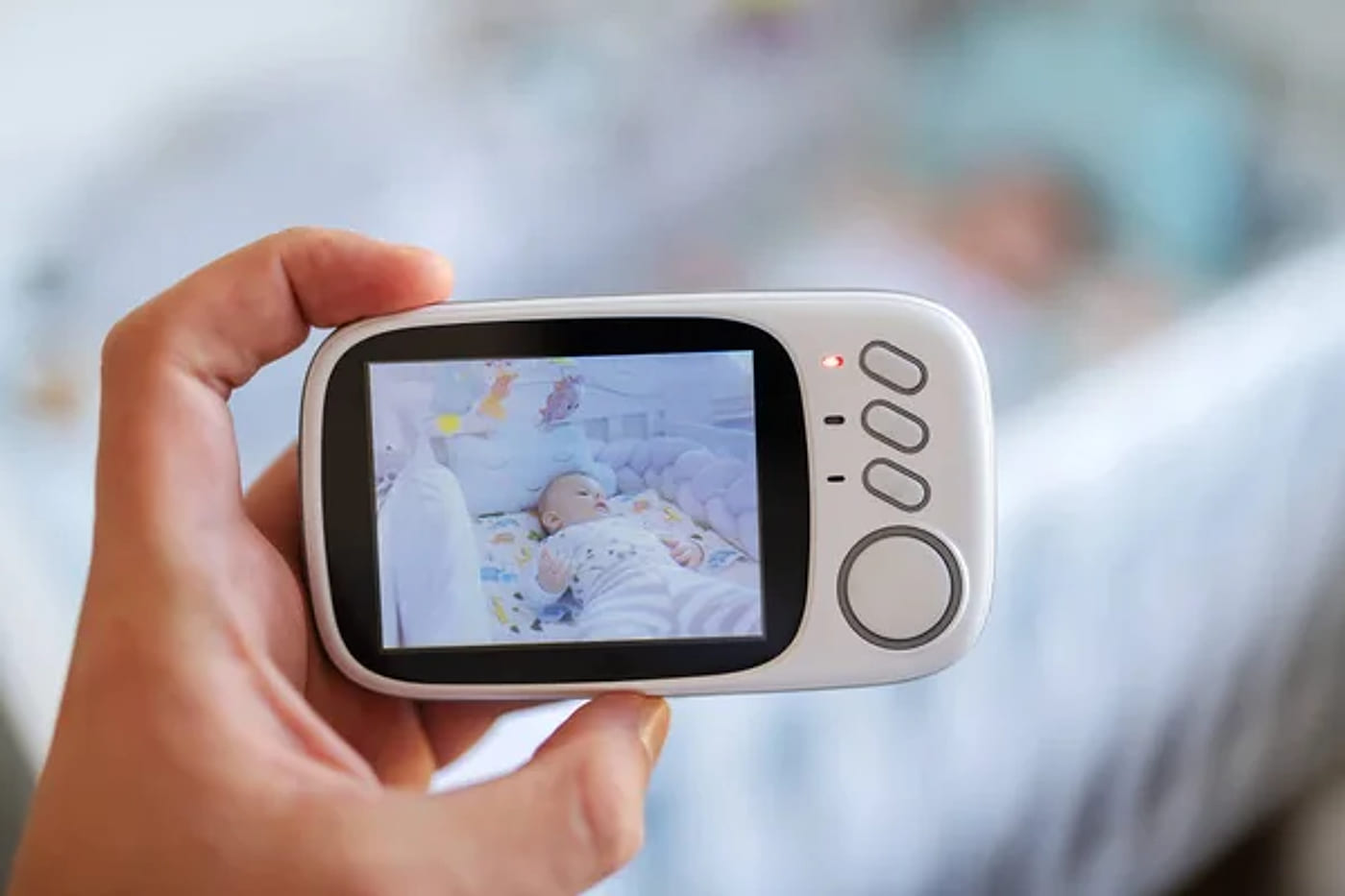
The best baby monitor for most British families is a model with its own screen and no Wi-Fi, because the picture then travels by radio from the camera to the screen and never leaves the house. Everything else follows from that one decision. If you also want to see the baby while you are out, that needs an app, and an app means the video goes through the maker's servers.
For the first six months the advice is to keep the baby in your room, which changes what you actually need
The Lullaby Trust recommends that your baby sleeps in the same room as you for day and night sleeps until they are at least six months old. That single line reshapes this purchase, and almost no buying guide mentions it. If the cot is two metres from your bed, a monitor is not watching another room: it is for the evening downstairs, for daytime naps in a room you are not in, and for the week you visit family. Range matters less than screen size, and the battery in the parent unit matters more than the spec sheet suggests. The same charity is equally plain about the other end of the category: on movement monitors it says "there is no research showing they help prevent SIDS", and that "a baby monitor can give you peace of mind but can never replace a parent or carers' supervision". Its page was last reviewed on 1 February 2025.
So the honest order is the opposite of the one the category sells you. First work out which of the next two years you are buying for, then whether the picture is allowed to leave the house, and only then look at inches and megapixels. We would buy for the stage you are in rather than for the one you can imagine: the monitor that gets used every night at four months is the one with a screen you can read from your own bed, not the one with the longest range in a field.
Wi-Fi or no Wi-Fi: where your baby's video actually goes
Baby monitor picker by where the video goes
Three questions, and the first one is the one that really decides: it separates the monitors that work by radio inside the house from the ones that put the picture on the internet so you can open it from anywhere. Free, no account, no ads.
A big screen and a long battery without the picture leaving the house: it is what most people want, and hardly anyone frames it as a decision.

Six inches and a declared 4,000 mAh are the two numbers that separate a monitor that lives on the bedside table from one that has to stay plugged in. It is also, for that reason, the one that leaves the fewest loose cables near the cot, which is the safety problem nobody in this category talks about. If the parent unit is going to sleep next to you every night for a year, this is where the extra money goes furthest.
See it on Amazon ›Whether a model uses Wi-Fi or not comes from what each maker declares in its own listing, read on 11 August 2026 and rechecked on 16 September 2026. We are not saying a model with an app is unsafe: we are saying where the picture travels in each case, which is a fact and not an opinion. Prices and availability change daily and live in the shop, not on this page.
Listings in this category lean on four phrases that sound like features and are really descriptions of where the picture ends up and what the device depends on.
The camera talks to the screen by radio, with no router and no internet. The picture never leaves the house and there is no account to create. It keeps working during a broadband outage. In exchange, you can only watch inside the range of the pair.
It is the only way to see the baby from outside the house, and to do it the video passes through the maker's servers. We do not say that as an accusation: we say it because it is the fact missing from most listings, and because the device stops working when the internet does.
Usually infrared LEDs that show as red dots glowing over the cot all night. The ones that declare invisible night vision use a wavelength that does not glow. It is the difference between something a baby looks at and something that does not exist for them.
Not an upgrade, the older band: the one shared with the microwave, the doorbell and half the house. It reaches further but it is far more congested, and in a British house the walls do the rest. Range figures in this category are quoted in open air, and a nursery two solid walls from the router is not open air.
m8d rule: If a baby monitor can be opened on your phone while you are out of the house, its picture is passing through somebody's server. That is neither good nor bad, but it also tells you what happens on the night your broadband goes down.
Since April 2024 the maker has to publish how long it will keep sending security updates
If the monitor connects to the internet, it is a consumer connectable product, and the UK's product security regime covers it. GOV.UK states that "the UK's consumer connectable product security regime came into effect on 29 April 2024", and the regulations require manufacturers to meet three baseline measures: banning universal default and easily guessable passwords, publishing information on how to report security issues, and publishing information on minimum security update periods. The product also has to come with a statement of compliance, which the guidance notes "could be digital" rather than a piece of paper in the box. Read what that third requirement gives you: for any monitor with an app, a UK seller has to tell you the date the security updates stop, and that date is a specification you can compare, like a screen size. A cheap camera with a support period ending next year and a dearer one supported for five are not the same product. Excluded from the regime are products for Northern Ireland, electric vehicle chargers, medical devices, smart meters and certain computers. None of that covers a baby monitor.
The words this category uses about security. None of them can be checked from outside the box, none of them is defined anywhere, and none of them tells you what happens to this camera in three years, which is the only part of security a buyer can actually act on.
Since 29 April 2024 the UK regime requires a manufacturer to publish how long security updates will be provided, alongside how to report a security issue and a ban on universal default passwords. The product also comes with a statement of compliance, which the guidance notes may be digital rather than paper. That published date is a specification you can compare between two cameras, like a screen size.
m8d rule: For any baby monitor with an app, look for its defined support period before you pay. It is a legal requirement in the UK, so a maker that does not publish one has told you something.
How far from the cot the camera and its cable have to sit
Three feet, about ninety centimetres, measured from any side of the cot. The United States Consumer Product Safety Commission recommends keeping a baby monitor's power cable at least three feet from the cot because of the strangulation risk, counted from every side and not just from the head end. It is not a theoretical precaution: in 2011 the same agency published a recall of video baby monitors after two strangulation deaths, and required the manufacturer to add a warning label to the product itself. This is a rule about where you put the camera rather than about which one to buy, which may be why it so rarely turns up in a buying guide. It applies to every model on this page, and to the one you already own.
Same room at night, and the evening downstairs
At this stage the monitor earns its keep between seven in the evening and midnight, and during naps. That makes the screen the important part, not the range: you want to glance at it from the sofa and know whether the eyes are open, without walking upstairs to check. Neither of these two puts the picture on the internet, so neither needs an account, and neither stops working the night the router reboots itself at three in the morning.
jeeber 5 inch 1080p, no Wi-Fi view ›
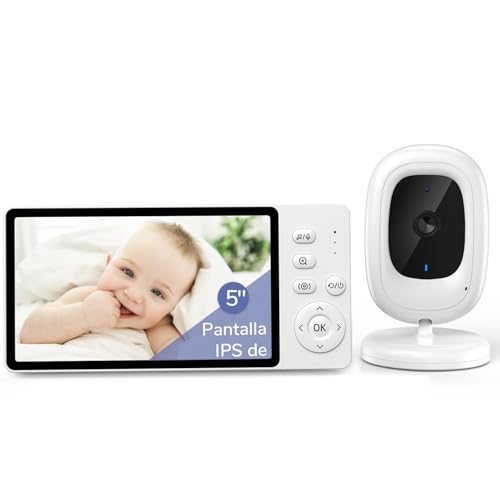
This is the point where the screen is genuinely big enough and the price has not run away, and it is the one that suits most houses. Five inches at 1080p, and more to the point no Wi-Fi: there is no account to create, no app to update and no server carrying your child's face. It works with the router switched off, which is the night you will be glad of it. If you will never need to watch from outside the house, there is very little reason to spend more.
- Five inches is the size at which you can tell whether the eyes are open without getting up and walking over to the screen, which is the whole job in the first year.
- Because there is no Wi-Fi, it keeps working through a broadband outage and through the router rebooting itself at three in the morning. No account, no app, no server.
- The honest trade off: you cannot see them from work. If that is what you are buying for, this is not the one, and the section on apps explains what that costs you.
- 1080p on a 5 inch screen, in the tier where 3 inches is normal
- No account, no app and nothing in between the camera and the screen
- Keeps working when the internet does not
- Cannot be viewed from outside the house
- One camera and one screen: a second room means a second decision

BURNNOVE 2.8 inch IPS view ›
Small screen, and no Wi-Fi, which is the part that matters. You have to bring it closer to read a face, but to know whether the baby is lying down or sitting up it is more than enough. This is the one to buy for grandparents who have the baby one weekend a month, or as the second unit in a house that already has a good one, and it does not ask you to create an account to do it.
- At 2.8 inches you can see shape and movement; to read an expression you have to bring it closer.
- It is the obvious candidate for grandparents' house or for a second floor, rather than for the main unit of a home.
- Being a no Wi-Fi model it shares the main advantage of the dearer ones: no account and no server.
- The lowest entry point here without giving up what matters
- IPS and night vision even at this level
- No Wi-Fi and no app
- The smallest screen on this page
- A second device for a house, not the main one
Once the cot moves out, the screen moves to your bedside
This is where the parent unit stops being something you glance at and becomes something that sits on the bedside table all night. Two things change: battery life, because a screen tethered to a charger means another cable in a bedroom, and the night vision, because a row of red dots a metre from a baby's face is the only thing lit in the room. This is also the point at which a second room becomes a real question, and the answer there is less about a split screen than about whether you will still be able to buy a second camera for the monitor in a year.
Blemil 6 inch IPS with a 4,000 mAh battery view ›
Six inches and a declared 4,000 mAh are the two numbers that separate a monitor that lives on the bedside table from one that has to stay plugged in. It is also, for that reason, the one that leaves the fewest loose cables near the cot, which is the safety problem nobody in this category talks about. If the parent unit is going to sleep next to you every night for a year, this is where the extra money goes furthest.
- The declared 4,000 mAh battery is the largest on this page, and it decides something practical: whether the parent unit can sit on your bedside table or has to hang off a charger.
- That is also a safety point nobody makes. The less time it spends plugged in, the fewer cables there are near the cot, which connects directly to the ninety centimetre rule further up this page.
- Six inches can be read from the other side of a bedroom without sitting up, which is what people actually do with a baby monitor at two in the morning.
- The biggest screen and the biggest declared battery on this page
- IPS panel, so it is readable from an angle
- No Wi-Fi: the picture does not leave the house
- Costs meaningfully more than the main pick
- Also cannot be viewed from outside the house

BOIFUN 4 inch with invisible night vision view ›
Standard night vision lights a row of infrared LEDs that read as red dots glowing over the cot all night. This one declares invisible night vision, which is the version without that glow. It sounds like a detail and it is not: a baby who is starting to focus looks at whatever is lit, and a red point a metre from their face is the only thing lit in the room. The trade off is a smaller screen and a battery its maker does not quantify.
- Ordinary infrared night vision shows as a row of red dots that are visible from the cot, and they are the first thing an awake baby looks at.
- Four inches is the lower limit if the screen is going to sit on a bedside table rather than be held in your hand.
- Its listing does not declare the battery capacity, unlike the six inch model above. That gap is worth knowing if you intend to unplug it.
- Night vision with no red glow over the cot
- IPS panel, so it is readable off axis
- No Wi-Fi and no app
- 4 inch screen, smaller than the two above
- Battery capacity not declared
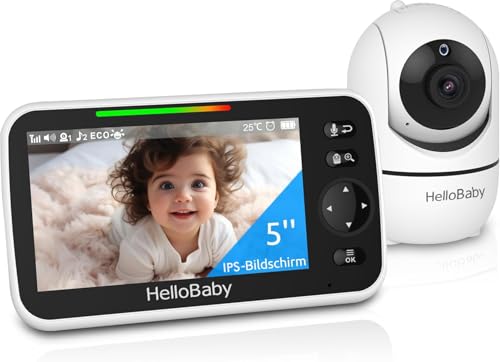
HelloBaby HB6550, 5 inch, no Wi-Fi view ›
HelloBaby is one of the few brands on this page that makes nothing but these, and it tells in the place that matters three years out: spares, support and accessories that still exist. That is also why it is the sensible base if a second child or a second room is on the horizon, because the deciding factor there is not a split screen, it is whether the second camera is still on sale. You pay a premium over models with the same listed specification, and in a device that runs every night for two or three years that premium is defensible.
- HelloBaby is one of the few names here that does nothing else, and that shows up where it matters: spares, support and accessories that still exist in two years.
- That is exactly the question behind watching two rooms. A split screen on the box is worth less than being able to buy a second camera for the same monitor in a year, so check the camera limit on the listing before you commit to the second one.
- Its listing declares much the same as cheaper models. What you are paying for here is continuity rather than a specification.
- A specialist brand, with accessories that stay on sale
- 5 inch screen with no Wi-Fi
- The sensible base if a second room is likely later
- The dearest of the models here that have no Wi-Fi
- Its listing offers nothing a cheaper model does not
When the baby leaves the cot, a fixed camera stops being enough
A fixed lens pointed into a cot has a shelf life, and it ends the week the child learns to climb out of it. From then on the useful monitor is one that can look around the room, and that is where models with a motor and, usually, an app arrive. This is the group where the question from two sections up applies hardest: they can be opened from anywhere, which means the picture is travelling through a company's servers, and it is the group where the published security update period is worth finding before you buy.

Three hundred and fifty degrees of pan and sixty five of tilt turn a fixed point into the whole room, which is exactly what you need the week the cot is abandoned and the walking starts. It pairs that with 2K and a five inch screen. It is the most complete of the app models, with the same trade off as all of them: the picture travels outside the house, so check the published support period before you commit.
View ›
The cheapest way into the group you can open from anywhere, and it keeps its own screen, so the nightly watching does not depend on your phone. The trade off is the one every app model makes: the picture you see from work travels through the maker's servers. That is not a fault, it is how it works, and this is the group where finding the published security update date before buying is worth the two minutes it takes.
View ›
2K at three megapixels is the best picture on this page, and with five inches of screen it is not wasted. It is the one to buy if you also want to look back at footage or check in from another city. Like every app model the video leaves the house, and its Wi-Fi is 2.4 GHz, the band it shares with the microwave and half the house, so think about where the router is before you assume the range figure applies to your walls.
View ›
The top of this selection and the one with the most features, including a night light that saves having another device plugged into the nursery. One fewer thing in the room is one fewer cable, and in this category that counts for more than it appears to. That said, it is also the hardest of the nine to justify against the 2K model above it, unless the integrated light solves a specific problem in your room.
View ›Screen, picture, and whether the video leaves the house
| Baby monitor | Screen | Picture | Leaves the house? | What sets it apart | Who it is for | |
|---|---|---|---|---|---|---|
| jeeber 5 inch 1080p, no Wi-Fi view › | 5 inch | 1080p | No | The balance | Most people | View › |
| Blemil 6 inch IPS with a 4,000 mAh battery view › | 6 inch | Not declared | No | 4,000 mAh | A screen that lives by the bed | View › |
| HelloBaby HB6550, 5 inch, no Wi-Fi view › | 5 inch | Not declared | No | A brand that makes only these | Anyone thinking three years ahead | View › |
| BOIFUN 4 inch with invisible night vision view › | 4 inch | Not declared | No | Invisible night vision | No red glow over the cot | View › |
| BURNNOVE 2.8 inch IPS view › | 2.8 inch | Not declared | No | The entry point | Grandparents' house | View › |
| jeeber 4 inch with app and 360 degree rotation view › | 4 inch | Not declared | Yes | 360 degree rotation | Watching from outside, cheaply | View › |
| BOIFUN 5 inch 2K with app view › | 5 inch | 2K, 3 MP | Yes | The best picture here | Anyone who wants the detail | View › |
| GHB 5 inch 2K with a motorised head view › | 5 inch | 2K | Yes | 350 and 65 degree movement | A child who is already walking | View › |
| BOIFUN 2K with a built in night light view › | Not declared | 2K | Yes | Built in night light | One less thing plugged in | View › |
Characteristics are what each maker declares in its own listing, read on 11 August 2026 and the models rechecked on 16 September 2026. "Leaves the house" means the picture passes through a server so it can be viewed from outside, which is a consequence of having an app and not a defect. "Not declared" means the listing does not publish that figure, and that is information too.
The features you will stop using after a fortnight
Lullabies and projectors. They read well on a listing and they get used for about two weeks. A baby who needs help settling is usually helped by the same routine every night, not by a device playing eight tunes.
Room temperature readouts. Useful as a rough guide, and no substitute for a thermometer you trust if the room is a concern. The reading comes from the camera body, which is often on a shelf and warm, not from where the baby is lying.
Talkback. Genuinely useful for the second parent, and genuinely useless at three in the morning with a newborn. It is worth having and it is not worth choosing a model for.
Very long quoted ranges. The metres on the box are measured in open air. In a British house the only number that matters is whether it reaches from the nursery to the room you actually sit in, through the walls you actually have, and that is a question the box cannot answer.
Every figure here carries its source and its date. The starting point is the catalogue of baby monitors with a camera that m8d reads daily, filtered to those that were in stock, and the models in this guide were rechecked on 16 September 2026. One model from the original selection has been dropped because our stock record shows it withdrawn rather than temporarily out of stock. The grouping is by the stage of the first two years rather than by screen size, because the advice from the Lullaby Trust on room sharing changes what a monitor is for in the first six months. The characteristics are what each maker declares in its own listing, read on 11 August 2026; where a listing does not publish a figure, the table says so instead of filling it in. The cable distance comes from the United States Consumer Product Safety Commission, and the security update requirement from the UK government's own guidance on the consumer connectable product security regime. Availability and the exact models vary from country to country.
Do I need a baby monitor if the baby sleeps in my room?›
Less than the category implies. The Lullaby Trust recommends the baby sleeps in the same room as you for day and night sleeps until at least six months, so in that period a monitor is for naps in another room and for the evening downstairs. That is a screen you can read from the sofa, not a record breaking range.
Is a Wi-Fi baby monitor safe?›
The question to ask is a different one: where does the picture go, and how long is it supported. A monitor with an app sends the video through the maker's servers, which is the only way to view it from outside. Since 29 April 2024 a UK seller has to publish the minimum period for which security updates will be provided, so look for that date and treat its absence as an answer.
What is the difference between a monitor with an app and one without Wi-Fi?›
One leaves the house and one does not. A no Wi-Fi model pairs the camera to its own screen by radio, needs no account and keeps working during a broadband outage, but only works within its own range. An app model can be opened from anywhere and stops working when the internet does.
How far should the baby monitor be from the cot?›
At least three feet, about ninety centimetres, measured from every side of the cot and not only from the head end. That is the Consumer Product Safety Commission's recommendation, made after a recall of video baby monitors following two strangulation deaths. It is about the power cable, so it applies to the monitor you already own as well.
Do movement monitors prevent SIDS?›
The Lullaby Trust says there is no research showing they help prevent SIDS, and that a monitor can never replace a parent or carer's supervision. Movement monitors sound an alarm when no movement is detected for a period, usually about twenty seconds, which is a different thing from prevention.
Is 2.4 GHz a problem in a baby monitor?›
It is the older and more crowded band, shared with microwaves and a good deal of household kit. It travels further than 5 GHz but it is more congested, and the range printed on a box is measured in open air. In a house with solid walls, the number that matters is whether it works from the nursery to the room you sit in.
The purchase is decided before anyone looks at a screen size: if you are only ever going to watch from another room in the same house, buy a monitor with no Wi-Fi and you get no account, no servers and a device that survives a broadband outage. jeeber 5 inch 1080p, no Wi-Fi view › is where we would start for most people, and Blemil 6 inch IPS with a 4,000 mAh battery view › if the screen is going to live on your bedside table all night. Only step up to an app model if you genuinely need to see the baby while you are out, and if you do, we would find its published security update date before paying, because since April 2024 a UK seller has to give it to you.
The best screen and the best battery hereBlemil 6 inch IPS with a 4,000 mAh batterySee it on Amazon ›The documents behind the specific claims in this guide, with who publishes each one.
- The Lullaby TrustBaby monitorsRoom sharing for day and night sleeps until at least six months, and the statement that there is no research showing movement monitors help prevent SIDS. Page last reviewed 1 February 2025, read on 16 September 2026.
- GOV.UKRegulations: consumer connectable product securityThe regime came into effect on 29 April 2024. The three baseline requirements, including publishing information on minimum security update periods, and the statement of compliance that must accompany the product. Read on 16 September 2026.
- Consumer Product Safety Commission, United StatesTwo strangulation deaths prompt recall of video baby monitors with cordsThe agency also required a warning label to be added to the product itself. It is the precedent behind the ninety centimetre rule.
- Consumer Product Safety Commission, official blogBaby monitor cords: three feet from babyThe recommendation to keep the cable three feet, about ninety centimetres, from the cot, measured from any side.
- Each maker's own product listingScreen size, resolution, battery and connectivity of each modelRead on 11 August 2026 and the models rechecked on 16 September 2026. Where the table says not declared, the listing does not publish that figure, and that is information too.
Comments
Be the firstNo sign-up: just a name. Every comment is reviewed before it is published.