Best password manager UK 2026: how many devices each free plan covers, and who holds the key to your vault
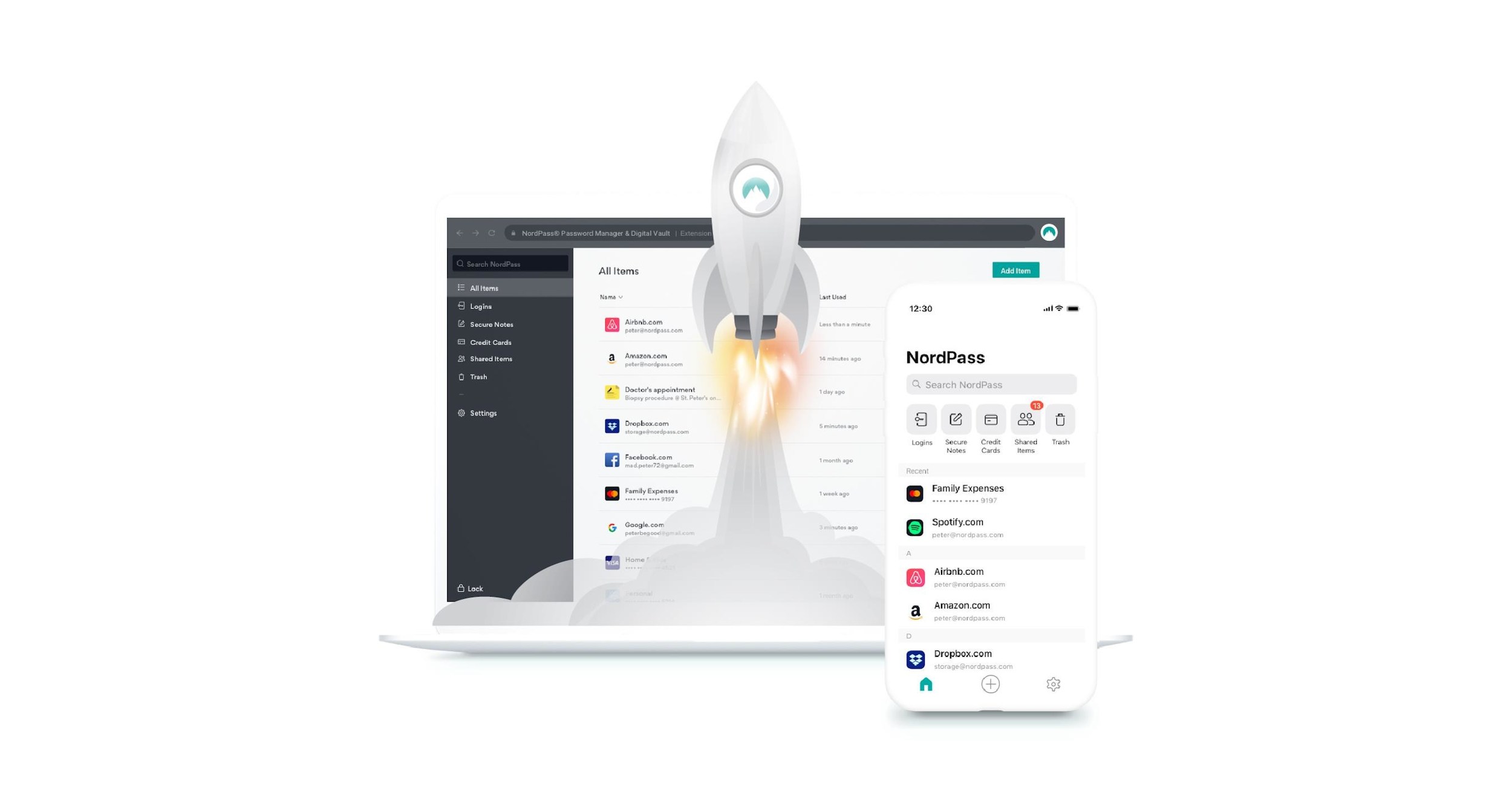
Three password managers chosen by how many devices you need and how many people share them, a comparison tool that says which free plan covers your case, and what the NCSC says about the manager you already have switched on.
This guide contains affiliate links. As an Amazon Associate, m8d.io earns from qualifying purchases, at no extra cost to you.
Where the passwords you have already saved are kept, on every device
Before moving anything, it is worth knowing where the passwords you already have are sitting, because most people have them in more than one place without ever deciding to. Four routes cover almost everybody, and all four are worth opening once.
- Chrome, or anything signed in to your Google account. Go to passwords.google.com. If it shows them after asking for nothing but your Google password, that tells you something about who holds the key, and the next sections explain what.
- iPhone, iPad or Mac. The Passwords app, which Apple split out of Settings. The export lives in the same place.
- Android, outside Chrome. Settings, then Passwords and accounts, where the phone lists which service is filling your logins.
- Windows, for the things that are not websites. Control Panel, then User accounts, then Credential manager. It has two sections, Web credentials and Windows credentials, and the second one holds the logins your browser never saw.
That last route is the clearest illustration of where a browser manager runs out: it fills in websites and nothing else. Everything that is a program rather than a page, from a mail client to a work tool, sits in a different drawer, and a standalone manager is the thing that puts both drawers in one place.
If all four routes come back nearly empty and you are reusing the same password in a dozen places, the comparison tool below starts from that case too.
Password manager comparison tool: which free plan covers your devices, and for how many people
Password manager comparison tool for your devices and your household
Three taps: where your passwords live today, in how many places you need to open them, and for how many people. Out comes the manager that covers that case, what you give up with it, what would have to change for the answer to be different, and the steps for the move. On the case it opens with, a single phone for one person, the answer is Bitwarden. A tool from m8d.io, free and with no account.
With a phone and nothing else, all four free plans we read do the job: they store passwords without a cap and fill them in. The difference shows up the day you add the computer, and on that day Bitwarden and Proton Pass ask for nothing while others do. Starting with the one that does not cap you saves moving house twice.
None you would notice on one device. If what you wanted was email aliases or breach alerts, that is paid on all three.
If what you actually want is to stop handing over your real email address when you register, the answer becomes Proton Pass, because that feature exists in its product and not in the other two.
- Open passwords.google.com, go into Settings and use Export passwords. Google downloads an unencrypted CSV file.
- Import that CSV into the new manager from its import option, which all three have.
- Check that the number of entries matches before going any further.
- Delete the downloaded CSV: it is a text file with every one of your passwords in plain sight.
- In Chrome, switch off the automatic saving of passwords so it does not quietly start collecting them again in parallel.
Plan terms are the ones each company publishes on its own page, read on 16 September 2026: bitwarden.com/pricing · proton.me/pass/pricing · nordpass.com/plans · lastpass.com/password-manager. Subscription plans are not part of the m8d price record, so there is no live figure anywhere in this tool, and terms can change with each month's promotion.
Which password manager is actually free, and on how many devices
The free plans from Bitwarden view › and Proton Pass view › are the ones that store passwords without a cap and work on the browser, the phone and the computer at the same time, according to what each company publishes on its pricing page. Other free plans do the same job with a condition attached, and that condition is written on their own pages: the NordPass view › table marks access from multiple devices as not included in the free tier, and LastPass states that its Free plan is "limited to 1 device type and basic password management features", meaning computers or phones, not both.
That is the only difference you need to understand in order to decide, which is why the table below opens with it. Everything else a free plan does, storing, generating and filling in, all of them do.
| Manager | The free plan, on how many devices | What its page says about who can read your vault | Export the whole vault | The audit it publishes | |
|---|---|---|---|---|---|
| Bitwarden Free and Premium view › | Browser, mobile and desktop, no cap | Zero-knowledge encryption: the company states it cannot | Yes, encrypted and on the free plan | Cure53, 2025 reports per component, plus ISO 27001 | View › |
 Proton Pass Free and Plus view › Proton Pass Free and Plus view › | Browser, mobile and computer, no cap | End-to-end and zero-knowledge encryption; Swiss company | Yes, from the app itself | Declares independent audits, no date on that page | View › |
 NordPass Free and Premium view › NordPass Free and Premium view › | One account: access from several devices is paid | Zero-knowledge architecture declared by the company | Yes, from the app itself | Declares voluntary independent audits, no date on that page | View › |
Every cell comes from the company's own page, read on 16 September 2026: bitwarden.com/pricing and bitwarden.com/help, proton.me/pass/pricing and proton.me/legal/privacy, nordpass.com/plans and nordpass.com/about-us. Where a page does not publish the date of its latest report, the cell says so instead of filling itself in.
What the NCSC says about password managers, and when its browser advice stops applying
The National Cyber Security Centre, part of GCHQ, publishes its own guidance on this and it sits second in the search results for the whole subject, above every buying guide. It is worth reading before any of them, because it says two things that a list of products will not. First, that saving passwords in the browser is "safe for you to do this on your own devices", with the caveat that passwords kept in the browser "are only as secure as your devices and accounts". Second, that the reason to go to a separate manager is a practical one: it "can synchronise passwords even when you have a mix of different browsers and devices" (ncsc.gov.uk, page last updated 21 May 2026).
That is the same axis the tool above uses, and it is not a coincidence: the official advice and the honest commercial answer land in the same place. One phone, one browser, your own device: what you have is fine. A mix of browsers and devices: that is what a standalone manager is for.
m8d rule: If you can see your passwords on a web page after entering nothing but that account's password, the key that opens them is in that account. Check it in ten seconds: open passwords.google.com, and if it shows them without asking for anything else, now you know.
None of this makes the built-in manager a bad choice, and it is worth saying plainly: it is free, it works on everything, it imports from other managers and it warns you about leaked passwords. For a lot of people it is enough, and switching on on-device encryption closes most of the remaining distance. What the comparison does is answer the question this search actually arrives with, which is whether what you already have will do.
The honest answer depends on one thing: whether it bothers you that the company holding your vault is able to open it. If it does not, stay where you are and skip the move. If it does, switching takes ten minutes, and the tool above says where to start.
The three password managers we would pick, and who each one is for
Bitwarden Free and Premium view ›
The one we would pick for most people, and not because of the price: its free plan includes the browser, mobile and desktop apps, encrypted export of the whole vault, and FIDO2 security keys as a second factor, which its own documentation marks as free for all. Three things that other free plans do not have.
- Its free plan does not cap how many devices you use. The Bitwarden pricing page lists, inside the free tier, apps for browser, mobile and desktop, and encrypted data export, with no quantity attached (bitwarden.com, read on 16 September 2026). That is the difference that settles most of the questions on this page.
- A physical security key works without paying. Its two-step login guide files FIDO2 WebAuthn credentials, meaning keys such as a YubiKey or a Google Titan, as free for all; what needs a subscription is the older YubiKey OTP protocol and Duo Security (bitwarden.com/help, 16 September 2026).
- It publishes its audits, and what they were done with. Its compliance page declares annual third-party audits with Cure53, with 2025 reports split by browser extension, core app and desktop app, plus ISO 27001 certification (bitwarden.com/help, 16 September 2026).
- It asks you to choose a server region when you create the account, and that choice is permanent. Bitwarden runs separate United States and European Union environments, and its own help page says an account only exists in the region where it was first created and that Bitwarden cannot migrate accounts between regions (bitwarden.com/help/server-geographies, read on 16 September 2026).
- Its paid plan is billed in US dollars with tax added separately, which is worth knowing from a UK card because your bank's conversion sits on top of whatever figure is listed. What the paid tier adds is vault health reports, emergency access and file attachments, not anything you touch daily.
- The free plan covers browser, mobile and desktop with no device cap
- Encrypted vault export is inside the free plan
- FIDO2 security keys work as a second factor without paying
- Third-party audits published per component, with the year on them
- Billed in US dollars, with tax added on top
- The interface is drier than the other two
- Emergency access and file attachments are paid-only
- The data region you choose when you sign up cannot be changed later
Security keys that work with the free Bitwarden plan
Proton Pass Free and Plus view ›
The one that fits if you sign up to a lot of sites and already get post you never asked for. Its paid plan adds unlimited hide-my-email aliases, which changes daily use rather than filling a spec sheet, and its free plan covers browser, mobile and computer exactly like Bitwarden's.
- The company that runs it sits in Switzerland and says so in its privacy policy: Proton AG, Route de la Galaise 32, 1228 Plan-les-Ouates, Geneva, governed by the laws and regulations of Switzerland (proton.me, read on 16 September 2026). For anyone who cares which authority can come asking for data, that is the fact, not the name of the cipher.
- The email aliases are the real difference. Every time you sign up somewhere, Pass creates a separate address that forwards to your inbox: the day that site leaks its database, you know exactly which one it was and you can switch off that address alone. The free plan comes with a handful of aliases; the paid one removes the cap (proton.me/pass/pricing, 16 September 2026).
- Its pricing page writes the twelve-month charge next to the monthly figure instead of leaving it for the checkout screen, which is the part that catches people out on a rolling plan (proton.me/pass/pricing, 16 September 2026).
- Its apps are open source and audited by third parties according to its own open-source page; that page does not publish the date of the latest report, so we are not treating that date as known (proton.me/community/open-source, 16 September 2026).
- The free plan covers browser, mobile and computer
- Unlimited email aliases on the paid plan
- The company states a Swiss registered office and Swiss jurisdiction
- The yearly charge is written next to the monthly figure, not left to the checkout
- Unlimited aliases, custom domains and breach alerts are paid-only
- Its open-source page does not date the most recent audit report
- Part of its interest is that you end up using the rest of its suite
NordPass Free and Premium view ›
The quickest of the three to get running, and the only one that declares a full thirty-day refund, so it is the cheapest to try. With one condition worth knowing first: its free plan is a single account, and moving between devices without signing in again belongs to the paid tier.
- Its free plan is a single-device plan. The plan table marks access from multiple devices as not included in the free tier, along with password health, the data breach scanner, the authenticator and file attachments (nordpass.com/plans, read on 16 September 2026). If you are going to use it on the phone and the laptop, the free tier is not your plan.
- Its own questions section says the same thing in different words: the Premium plan adds password sharing and the option to switch between devices without signing in again, on top of password health and the data breach scanner (same page, same day).
- The family plan is six independent encrypted vaults with every Premium feature, and the account holder decides who gets the other five (nordpass.com/plans, 16 September 2026). It is the same six on offer from the other two.
- It declares zero-knowledge architecture and voluntary independent audits on its company page, without publishing the date of the latest report there (nordpass.com/about-us, 16 September 2026).
- Full refund declared within thirty days of purchase
- Six independent vaults on the family plan
- Zero-knowledge architecture declared by the company
- The fastest of the three to set up
- The free plan is one account, with no access from several devices
- The breach scanner and the authenticator are paid-only
- Its company page does not date the most recent audit report
Where your vault actually lives, and the one sign-up choice you cannot undo
Three of the managers on this page are run from three different places: Bitwarden from the United States, Proton from Switzerland, and NordPass by Nord Security. Since the UK left the EU, personal data leaving the country needs a legal route, and the one that covers the United States is the UK-US data bridge, which came into force on 12 October 2023 and requires the receiving company to be certified under the US framework to take UK personal data (gov.uk, explainer dated 21 September 2023).
Here is the part that matters, and it cuts against the instinct: with genuine zero-knowledge encryption, the jurisdiction question is far less dramatic than it sounds, because what crosses the border is a blob the company cannot open. Where it matters enormously is the other case, the one the previous section described, where the company does hold the key. The jurisdiction of a manager that cannot read your vault is a second-order question. The jurisdiction of one that can is the whole question.
m8d rule: If the sign-up screen asks you to choose a data region, that choice is permanent. Check it before you put two hundred passwords inside: open the registration page and look at the dropdown next to the email field.
Your master password is not the last line of defence, and the NCSC has a way to build it
m8d rule: If your manager lets you in from a computer you have never used before by asking only for the master password, you do not have the second factor switched on. Try it in a private window: it takes a minute to find out.
That leaves the master password itself, which is the one thing you will have to keep in your head. The NCSC's advice here is specific and it goes against what most sites still ask for: combine three random words to make a password that is long enough and strong enough, rather than a short string stuffed with symbols. Its reasoning is that the complex version is not meaningfully stronger, that substituting a zero for an "o" is a trick criminals already know, and that the complex one is the one you end up writing on a sticky note (ncsc.gov.uk, three random words, version 2.0, reviewed 21 December 2021).
That is the division of labour the whole system is built on: one phrase you can keep in your head, and a few hundred strings you never have to see.
Security keys for your master password: what they add and which one fits your computer
A security key is a piece of hardware about the size of a coin that plugs into the computer or is held against the phone, and it acts as the second factor: even with your master password in hand, nobody gets in without it. It is what comes after choosing a manager, and with Bitwarden view › there is nothing to pay to use one: its two-step login guide files FIDO2 WebAuthn credentials, meaning keys such as a YubiKey or a Google Titan, as available on every plan.
The only thing that decides which one to buy is the connector on your computer, and the two below are the same key with a different mouth. Both carry NFC, so either one also works by holding it against the phone. We would buy two and register both: one lost key with no spare is a far bigger problem than the cost of the second one.

Yubico Security Key C NFC view ›
The one that fits if the laptop and the phone both use USB-C: the same key works by cable on the computer and by NFC on the phone, with no charger and no battery to run flat.
- It is the second factor that does not depend on your phone: lose the handset and the key still opens the vault.
- The connector decides the purchase. This is the USB-C one with NFC; the USB-A version exists for computers without a USB-C port.
- With Bitwarden it works on the free plan, because its documentation files FIDO2 WebAuthn credentials as free for all (bitwarden.com/help, 16 September 2026).
- Works by cable on the computer and by NFC on the phone
- No battery, nothing to charge
- Works with the free second factor on Bitwarden
- If you lose it and have no second key, account recovery gets complicated
- Will not fit a USB-A port without an adapter

Yubico Security Key NFC view ›
The same key with the rectangular connector everyone already has. It is the one to buy if the computer at home has no USB-C port, and it carries NFC for the phone too.
- The USB-A connector is the classic rectangular one, fitted to almost every desktop computer.
- It carries NFC just like the USB-C version, so it also works by holding it against the phone.
- A single key is a single point of failure: anyone using one as a second factor should register two, or keep the recovery codes somewhere off the computer.
- Fits the USB-A port on any desktop machine
- Also works over NFC with the phone
- Does not depend on the phone's battery
- Will not fit a laptop that only has USB-C
- Worth buying two so a lost key does not lock you out
When you do not need to switch at all
- You use one phone and one browser. That is exactly the case the NCSC describes as safe on your own device, and the move gives you nothing you would notice.
- You already have Google's on-device encryption switched on. With that, the key stops living in your account and the large difference closes. What is left is features, not security.
- Your employer gives you one and requires you to use it. Putting work logins into a personal manager is usually against policy, and we would advise against it even where nobody is checking.
How we compared these password managers, and what this page cannot tell you
We worked from the managers that occupy the first page of results for this subject in the United Kingdom, read on 16 September 2026, and added the guidance the National Cyber Security Centre publishes on the same question. From each company we read its pricing page and its security or company page, and copied the conditions as they are written, with the date we read them next to each figure.
What this comparison does support: what each free plan includes and on how many devices, what each company states about its encryption model, which audits it publishes, whether the whole vault can be exported, and where the account is hosted. All of it is checkable by opening the links at the foot of this page.
What it does not support: which one encrypts better under the bonnet, which behaves worse after a year of daily use, or which will have the next breach. And one more thing that belongs here: subscription plans are not part of the m8d price record, which reads shops rather than services, so this page carries no live prices at all and the terms above are the ones each company published on the day we read them.
Every fact on this page comes from one of these pages, read on 16 September 2026.
- NCSCPassword managers: how they help you secure passwordsofficial guidance, page last updated 21 May 2026
- NCSCThree random words, or #thinkrandomhow to build the master password; version 2.0, 21 December 2021
- BitwardenPlans and pricing: what the free plan includesdevices, encrypted export and the annual charge
- BitwardenTwo-step login methodsFIDO2 WebAuthn marked as available on every plan
- BitwardenServer geographiestwo regions, and accounts cannot be migrated between them
- BitwardenCompliance, audits and certificationsannual audits with Cure53 and ISO 27001
- ProtonProton Pass plans and pricingfree plan, Pass Plus and Pass Family
- ProtonPrivacy policyProton AG, Geneva, Swiss jurisdiction
- ProtonOpen source and auditsdeclares independent audits, no date on the page
- NordPassFree and Premium plansthe free plan does not include access from multiple devices
- NordPassAbout the companyzero knowledge and voluntary independent audits
- LastPassPassword Managerthe Free plan, limited to one device type
- GoogleHow on-device encryption protects your datawhere standard encryption keeps the key
- GOV.UKUK-US data bridge explainerin force from 12 October 2023; certification requirement
Where can I see all my saved passwords?›
In four places, depending on where they ended up. Chrome and anything signed in to your Google account: passwords.google.com. iPhone, iPad or Mac: the Passwords app. Android outside Chrome: Settings, then Passwords and accounts. Windows, for logins that are not websites: Control Panel, then User accounts, then Credential manager, under Windows credentials.
Is the password manager built into my browser good enough?›
On your own devices, and with one browser, the NCSC says saving passwords in the browser is safe to do, with the caveat that they are only as secure as your devices and accounts. The reason it gives for moving to a separate manager is a practical one: it can synchronise across a mix of browsers and devices. So the honest test is not security in the abstract, it is whether you use more than one browser or more than one device.
Which free password manager works on both my phone and my laptop?›
Bitwarden and Proton Pass, according to their own pricing pages read on 16 September 2026: both list browser, mobile and desktop apps inside the free tier with no device cap. The NordPass free plan is a single account and LastPass states its Free plan is limited to one device type, meaning computers or phones, not both.
Is it safe to keep every password in one manager?›
The risk concentrates in one place, and that is exactly what makes it safer than reusing one password across twenty sites: a single long master password, a second factor, and there is no chain of accounts that falls together. The thing to do on day one is switch on that second factor and keep the recovery codes somewhere away from the computer.
What happens to my passwords if the company behind the manager shuts down?›
This is why it matters that the whole vault can be exported: all three managers on this page allow it, and in Bitwarden's case encrypted export appears inside the free plan on its pricing page. With the exported file, moving to another manager is an import. Checking that the exit exists before you go in is the part almost nobody does.
Can I move my passwords out of Chrome without losing any?›
Yes. Chrome exports to a CSV file from passwords.google.com and all three managers import it. Two warnings: compare the number of entries before and after, because that is the only way to know nothing was left behind, and delete the CSV as soon as you are done, because it is a text file with every password readable.
How should I choose the master password itself?›
The NCSC recommends combining three random words rather than a short string full of symbols, on the grounds that the complex version is not meaningfully stronger and is the one you end up writing down. Let the manager generate everything else: you only ever have to remember the one.
If you have read this far and still have not decided, here is the short version. For the common case, a phone and a computer for one person, we would take Bitwarden view › and pay nothing. If you also want to stop handing over your real email address every time you register, Proton Pass view ›. And if you would rather try with the safety net of a declared thirty-day refund, NordPass view ›. All three store and fill in equally well: what changes is everything around that.
m8d pick · the free plan that works on the phone and the laptopBitwarden Free and PremiumSee Bitwarden plans ›If you want to stop handing over your real email addressProton Pass Free and PlusSee Proton Pass plans ›
Comments
Be the firstNo sign-up: just a name. Every comment is reviewed before it is published.